
App Information
| Category | Travel & Local |
| Developer | UK Visas and Immigration |
| Version | 2.32.956 |
| Content Rating | Everyone |
| Price | Free |
| Min Android | 12 |
| Updated | Mar 9, 2026 |
Description
Who can apply
Find out if you need an ETA to travel to the UK at: https://www.gov.uk/electronic-travel-authorisation.
How to apply on the UK ETA app
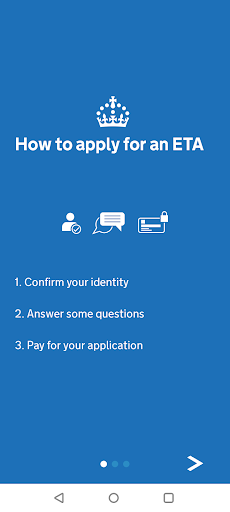
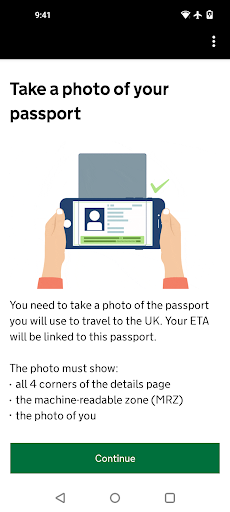
1. Take a photo of your passport.
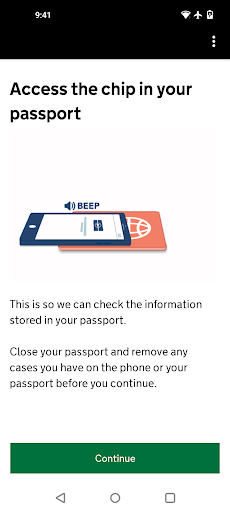
2. Scan the chip in your passport.
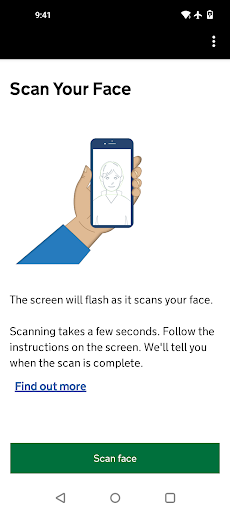
3. Scan your face.
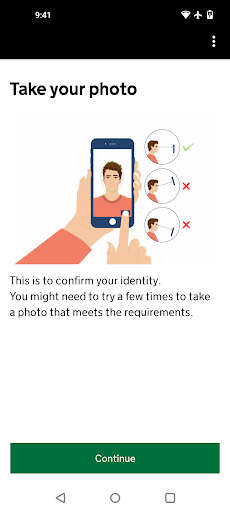
4. Take a photo of yourself.
5. Answer some questions about yourself.
6. Pay for your application.
It should only take 10 minutes to apply.
You do not need to enter your travel details.
Before you start
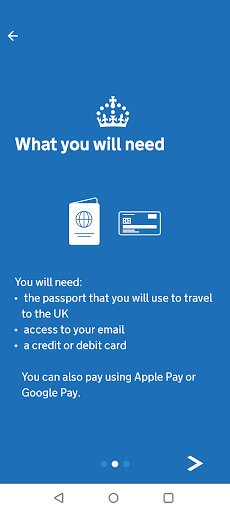
To apply you will need:
• Android 12 and above
• NFC (Near-Field Communication) so the app can scan your passport – if you can use your phone to pay for things using contactless, this means it has NFC
• the passport you will use to travel to the UK
• a credit card, debit card or Apple Pay
• access to your emails
If you're applying for someone else they must be with you. If they are not, you should apply online at: https://www.gov.uk/electronic-travel-authorisation.
After you apply
You’ll get a decision by email from UK Visas and Immigration (UKVI), usually within a day. Allow up to 3 working days (Monday to Friday) to get a decision, but it may arrive much sooner.
The email will contain your 16 digit ETA reference number.
You must wait until you get an email confirming you have an ETA before you travel to the UK.
If you have not received a decision after 3 working days, check your spam or junk email folder before contacting UKVI.
You may get decisions at different times to other people you applied for.
Your ETA will be linked to the passport you applied with. You only need to show your passport when you travel to the UK.
Privacy and security
The app is safe and secure. No information is stored on the app or your phone after you close it. You can delete the app after you have completed your application.
For information on staying safe online visit the UK Cyber Aware website: https://www.ncsc.gov.uk/cyberaware/home
Accessibility
You can read our accessibility statement at: https://confirm-your-identity.homeoffice.gov.uk/register/eta-app-accessibility
User Reviews

I am writing this to alert the development team about a serious issue. I followed every instruction and completed the process as requested, but a system error at the final stage resulted in a loss of £20 without providing the service. I strongly urge the team to investigate the stability of the payment/completion flow. It is disheartening to see users losing money due to technical bugs. Please consider fixing this urgently and providing a way for affected users to claim a refund. We want to use

easy to get app

worked perfectly, application took arround 5 minutes. German special characters do not get accepted but those can be easily replaced.

app is blocked at the biometric chip scan step

Overall works very well. Found it a little tricky taking the passport page photo but works great for a government app.

took me a good 45-60 minutes just to go through the application. Every button press required 3 minutes of loading. I pressed "yes" to a question, what are you loading for 3 minutes? Btw, my phone is fine, internet too, everything else works, it's just this app. Also, three times during the application process I would get a random error out of nowhere, kicked from the app, and had to restart the process from the beginning.

terrible experience

take 20 identical photos of the passport without any glare and in good light, not acceptable. walk in a half dark room barely point camera at passport, this is perfect, proceed. 1 minute loading bar, black screen, the suddenly "hold phone to biometric chip" ok, instantly aborts, let's take another passport photo instead. try again for 5 min. finally another photo gets accepted, "There has been a problem with our app, please restart and try again later".

Although the process was easy to understand and fast, I had some issues with address form validation. It didn't accept the Polish format of "StreetName 00/00" where the first 00 is a building number and second 00 is flat number. The slash was an invalid character. Also zipcode in a widely used "00-000" Polish format was not accepted because of a dash character. The errors that I received under the inputs were generic and I had to figure out what was wrong with my data by myself.

I noted the number of negative reviews so thought I would note that the App worked fine for me. 3 stars because the Address form didn't accept long addresses, but didn't say what the error was. If it doesn't let you submit, try shortening Address Line 1
You Might Like

Disneyland®

Hilton Honors: Book Hotels

GetYourGuide: Travel & Tickets

Allegiant

Greyhound: Buy Bus Tickets

JetBlue - Book & manage trips

Royal Caribbean International

IHG One Rewards: Book Hotels

Universal Orlando Resort

Alaska Hawaiian