
LegendPeeps
Home Apps Lifestyle Samsung Find: Location Sharing
Samsung Find: Location Sharing

Samsung Find: Location Sharing

3.78
|
V1.9.01.11
|
10M+
Samsung Find: Location Sharing screenshot Samsung Find: Location Sharing screenshot Samsung Find: Location Sharing screenshot Samsung Find: Location Sharing screenshot Samsung Find: Location Sharing screenshot Samsung Find: Location Sharing screenshot Samsung Find: Location Sharing screenshot Samsung Find: Location Sharing screenshot

App Information

Category Lifestyle
Developer Samsung Electronics Co., Ltd.
Version 1.9.01.11
Content Rating Everyone
Price Free
Min Android 10
Updated Jul 2, 2026

Description

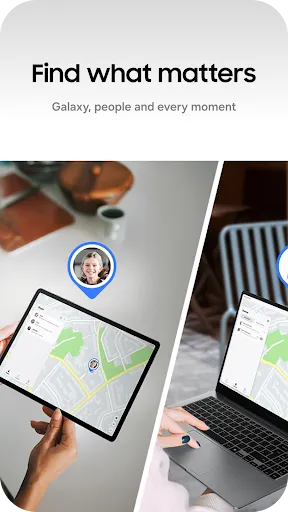
Samsung Find lets you share your location with your loved ones, like your family and friends, and see where your connected family and friends are in real time.
It also protects you and your family’s Galaxy devices from loss, and provides real-time GPS location tracking so you can easily find them. Try Samsung Find!

Samsung Find offers the following key features to keep you and your family safe.

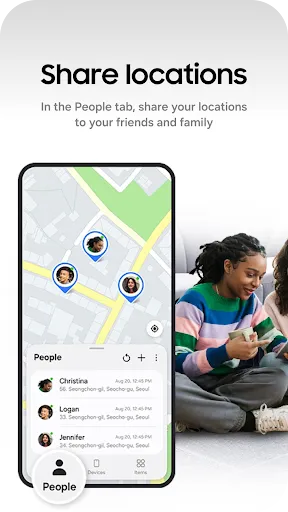
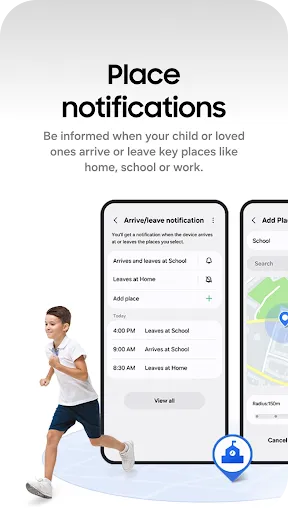
□ Location sharing and location notifications between family and friends (“People” tab)
- Worried about the safety of your loved ones? Want to know where your family and friends are and if they’re safe, but don’t want to have to ask them every time? If so, try Samsung Find.
- You can share your location with family and friends in your contacts, or ask them to share theirs with you.
- Worried about your location being shared all the time? Samsung Find can be set to securely share your location with family and friends for set periods of time.

□ Device-finding and security features (“Devices” tab)
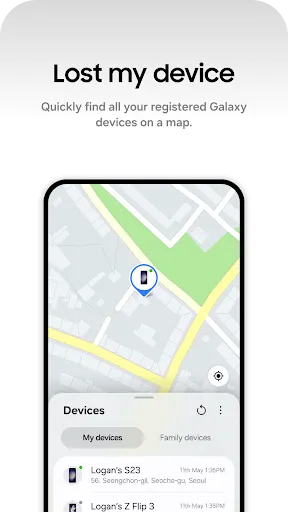
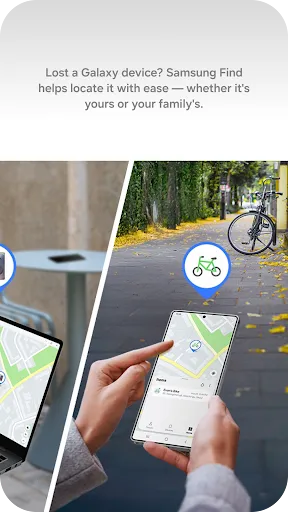
- Use Samsung Find to prevent losing your devices. Samsung Find can help you find your devices or even a family member’s device.
- You can see the location of all of your devices on the map, including your Galaxy phone, tablet, Watch, and Buds, and use navigation to get directions to them!
- You can use the “Search nearby” feature to search 360 degrees around you, making it quick and easy to find small devices like Buds and Rings.
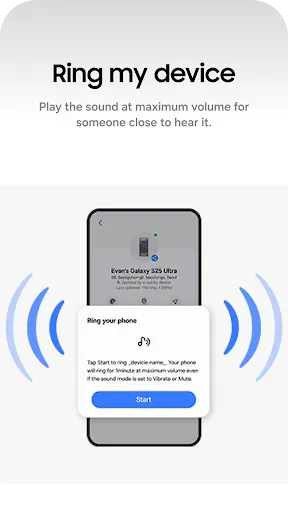
- You can also use the “Make sound” feature to quickly locate your devices by making them sound, even when set to Silent.
- Lost your device? You can track your device’s location and battery information by GPS directly from the Samsung Find website (samsungfind.samsung.com), or you can find it on a shared family member’s device.
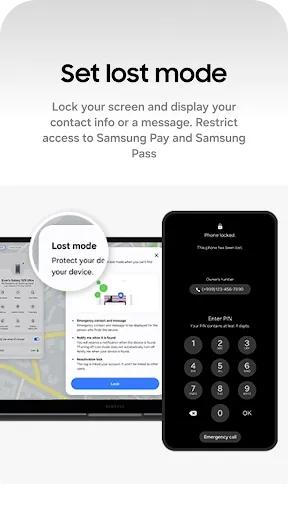
- If you’re concerned about the security of your lost device, use the “Lock device” and “Clear data” features on the Samsung Find website (samsungfind.samsung.com) to keep your and your family’s devices safe.

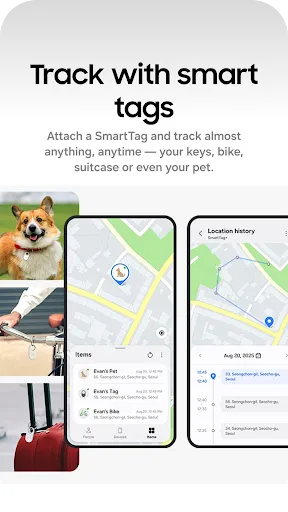
□ Track the real-time location of your and your family’s precious items (“Items” tab)
- Worried about losing your pet, favorite bike, or suitcase? Simply attach a SmartTag to them and register them on Samsung Find for real-time location tracking with GPS.

Easily connect with your loved ones with Samsung Find, and keep your and your family’s things safe from loss. Register now!

[Usage Environment]
Samsung Find is available on Galaxy devices that support One UI 3 (R OS) or later versions.

* Information on access permissions
Access permission as follows is required for service provision.
Basic service features can be used even if optional access permissions are not granted.

[Required Access Permissions]
ㆍLocation: To track the location of your device when lost, and share your location with others
ㆍNotifications: To receive notifications when someone checks your location or shares their location with you

[Optional Access Permissions]
ㆍContacts: To search for people to share your location with
ㆍCamera: To search for nearby devices
ㆍNearby devices: To find the location of devices around you

User Reviews

3.78
4K+ Reviews
5
60%
4
6%
3
8%
2
7%
1
20%
Stephanie Starke
Jul 8, 2026

This is a useless, non-functioning app. It cannot find my earbuds that are literally next to the phone. The app keeps telling me they're at work, 20 miles away. I have updated everything, unpaired and repaired, refreshed multiple times, even used search nearby. Still, the app can't pickup the location of earbuds that are literally connected via Bluetooth with the case sitting 3 inches from my phone. Running on a Galaxy S24 Ultra. Earbuds are Samsung Galaxy Pro 2.

Misbah Yuyo
Jul 5, 2026

thank you

nahid abdoli
Jul 5, 2026

perfect thanks so much

Dawn Brookshire
Jul 4, 2026

Trash

Mark Landis
Jun 30, 2026

Ages on the phone to Samsung to say their own Find app isn't recognising a registered device (watch) as registered. Taken through countless troubleshooting steps with different people to prove it's the app. Waste of time. Used to be able to tap on 'Find my Watch' and it would play a sound but now goes through faulty apps they refuse to recognise as faulty unless you attend hours proving it. Just use Google Find Hub instead, works immediately.

TANVIR AHMED
Jun 29, 2026

thanks Google

Yuliya Reich Barham
Jun 27, 2026

don't always show the way I needed tho

Patrice Henderson
Jun 23, 2026

perfect when you are sicker catch your man cheating or lying ar a emergency

Matt Stockman
Jun 22, 2026

waste of time, every time I try to use the app to find my earbuds even when the phone is right next to them it always says searching and it never finds them then it says my earbuds are somewhere else when they are with me... very misleading app

Pierry Wooden
Jun 21, 2026

Find last phone.