



| Category | Lifestyle |
| Developer | Cricut |
| Version | 6.66.0 |
| Content Rating | Everyone |
| Price | Free |
| Min Android | 9 |
| Updated | Jul 6, 2026 |

NO STARS Worked once. Now it just sits and does nothing after hitting the make button. So now i have this machine taking up space. NO STARS

The mobile has always been just *okay* but now I can't upload any single layer image without it being SUPER distorted- Like missing chunks (not just being bulky from converting to svg.) I have to go onto my computer, re-upload the image from there, then move back onto my phone to connect to Bluetooth and print the project

This app is complete garbage. And the Cricut Maker 4 is pretty useless too. Can't even cut Cricut Value Cardstock without tearing it to shreds. I'm so mad I wasted my money on this machine and all the monthly payments I make for this terrible app. I am CANCELLING my subscription! I will be working solely with the Loklik IdeaStudio from now on! It's way better, way cheaper, and way more functional. The PC software lags so bad, I can't even do anything with it, the mobile app is hard to navigate.

specifically looking for the multi cut option for certain materials and cannot find on mobile version of the software. bummer neither can I find mylar option smh

hate the new update, now the design space auto updates your designs unless you remember to switch it off every time you go into it so that if you have something saved as a template and you just want to cut one part of it if you don't remember to turn off the auto save you lose your original design. on some tablets you have the option of just saving the changes ie an Ipad but on my android tablet I have lost the function I now have to save the whole project meaning I have multiple same projects

they will charge your card before the trial!!! I signed up for the trial, it said it would wait 30 days to charge but nope, I even had to return the printer and they still charged my card, so I had to dispute this through my credit card bank. Sketchy payment tactic!

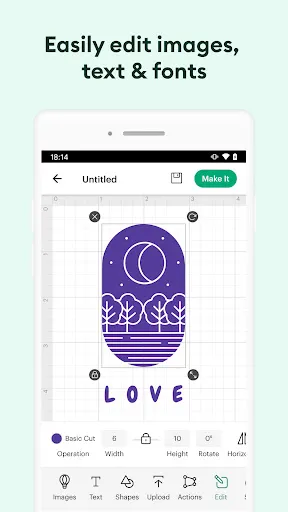
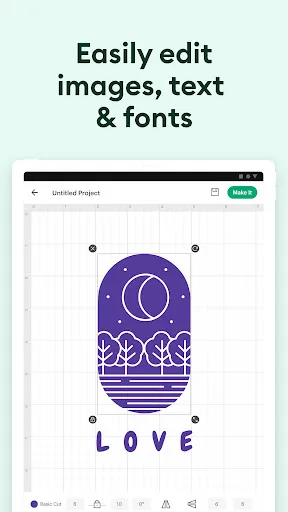
This app just gets worse everytime you update it. They always change the layout of the canvas making it so confusing where everything is. With the latest update that came out, they made the canvas so much worse. It won't allow me to easily move my images to one place to another unless I hold it in one certain area (in which I still do not know where), everything yet again got moved around and now I can't even find any important tool. I suggest that you keep the canvas as it is every update.

This app is beyond slow and now when I try to use print to cut it closes out when I press print. I even tried from my phone and the same thing happened. This is beyond frustrating when running a business

I can't use it

very disappointed with all this updates and now I can work the app because nothink moves where I want it to go and I find its iam nearly punching my fone for thinks to more and still nothing

Verizon Family

Money Well - Games for rewards

DOOR: Smart Access & Control

Fambase: Live & Group Chat

Tesla

McAlister's Deli

Chicken Salad Chick

Deepsearch AI Search Assistant

Color Widgets, Theme: iWidgets

Tasker by Taskrabbit