LegendPeeps
Home Apps Personalization Icon Pack Studio
Icon Pack Studio

Icon Pack Studio

4.11
|
V2.3 build 010
|
10M+
Icon Pack Studio screenshot Icon Pack Studio screenshot Icon Pack Studio screenshot Icon Pack Studio screenshot Icon Pack Studio screenshot Icon Pack Studio screenshot

App Information

Category Personalization
Developer Smart Launcher Team
Version 2.3 build 010
Content Rating Everyone
Price Free
Min Android 7.0
Updated Mar 12, 2026

Description

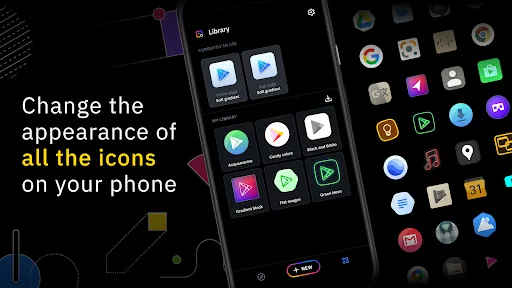
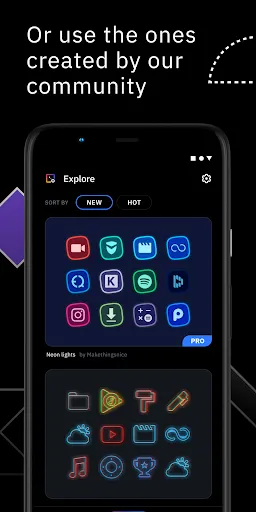
We created IPS with the idea that no icon pack can fit your home screen better than the one you create by yourself. With IPS you can create an icon pack from scratch or you can download and apply one of thousand uploaded every day by our community.

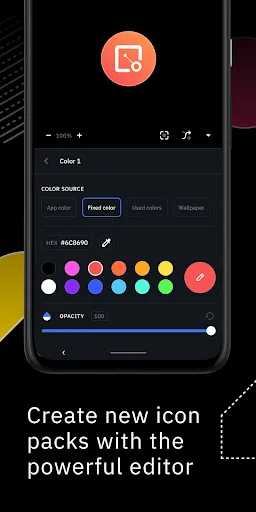
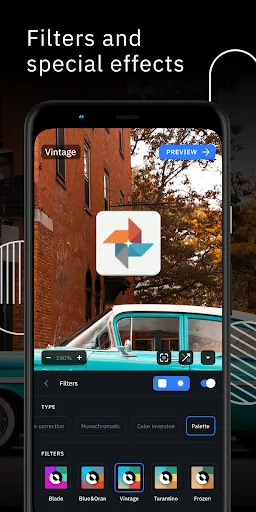
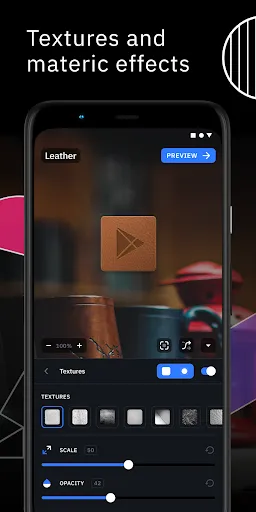
The advanced editor allows you to resize and move any element of your custom icon. Use special filters like lights, shadows, textures, and bezels and when you're happy with the result, apply the new icon pack to your custom launcher in just a few taps.

Icon Pack Studio is not only an icon pack maker, starting from version 2 you can import and tweak any icon pack installed on your device.

Icon packs created with Icon Pack Studio cover any app on your device No other icon pack downloaded from Play Store can do the same.

Icon Pack Studio is designed to work with Smart Launcher but works with almost any launcher

Tested launchers:
- Nova Launcher
- Action Launcher
- Lawnchar Launcher
- Hyperion Launcher
- Poco Launcher
- Miui Launcher
- ADW Launcher
- Microsoft Launcher
- Evie Launcher
- Total Launcher
- Niagara Launcher
- Square Home Launcher
- Apex Launcher
- Apex Launcher Classic

Unsupported launchers:
- Xperia Home Launcher
- Aviate
- Pixel Launcher
- AOSP Launcher
- Huawei Launcher
- Yahoo Japan Launcher
- +Home Launcher
- Samsung One UI Home
- LINE/Dodol Launcher
- Yandex Launcher

Many other launchers not in the list may be compatible with IPS.

Downloads

V2.3 build 010

Size: 51.39 MB

Updated: 2026-03-12

User Reviews

4.11
19K+ Reviews
5
65%
4
13%
3
5%
2
4%
1
14%
lr etab
Jul 8, 2026

Very nice on my Redmagic 11s Pro with Smart Launcher. The only hiccup is that when apps update, they revert back to their stock icon look, until the theme is reapplied or the phone restarted. Still 5* for taking it this far.

Armando Matish
Jul 8, 2026

I love it I can make my own icons and and even edit the one's I find online to match my taste it's absolutely amazing

Thimothy Mathews
Jul 8, 2026

the customization is great but i cant seem to use it in nothing launcher it says it is incompatible. please correct it 🙏🏻

Gleb A
Jul 5, 2026

Thanks to the community for creating interesting styles using Lawnicons. - x9136

ONE Million Dollar Dream
Jul 4, 2026

This app is very good

Fahim Herawi
Jul 3, 2026

Love this app

Tapatsatorn Kusolsak
Jun 29, 2026

might require more feature for editing the app icon tho, mostly cool

Karylle Avila
Jun 29, 2026

WORST APP😡😡NOT RECOMMENDED THIS APP😡😡😡

Syedsarimshahzad Shahzad
Jun 29, 2026

it is the best app forever

Jay HD H-D
Jun 29, 2026

Amazing app! I use this with Smart Launcher to create and apply stunning app icons. There's so many customisation features. But, there is an inconsistency. When I'm editing an icon pack's bg, the Inner Shadow feature has its Horizontal and Vertical Distance sliders mixed up. Other than that, thoroughly enjoy making, sharing and downloading community icon packs from here. I have two quick suggestions, the ability to rotate a shadow without rotating its parent object, and stackable filters.