LegendPeeps
Home Apps Auto & Vehicles Android Auto
Android Auto

Android Auto

4.13
|
VVARY
|
10B+
Android Auto screenshot Android Auto screenshot Android Auto screenshot Android Auto screenshot Android Auto screenshot

App Information

Category Auto & Vehicles
Developer Google LLC
Version VARY
Content Rating Everyone
Price Free
Min Android 9
Updated Apr 29, 2026

Description

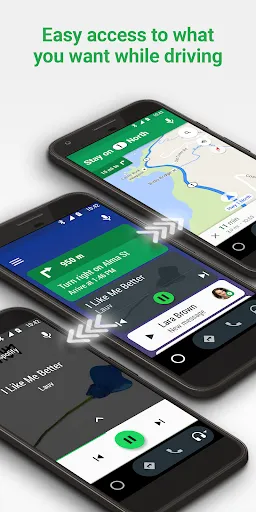
Android Auto is your smart driving companion that helps you stay focused, connected, and entertained with the Google Assistant. With a simplified interface, large buttons, and powerful voice actions, Android Auto is designed to make it easier to use apps that you love from your phone while you’re on the road.


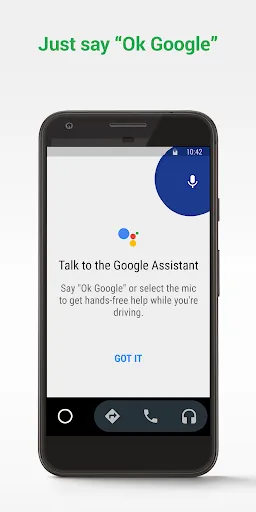
Just say “Ok Google” to...
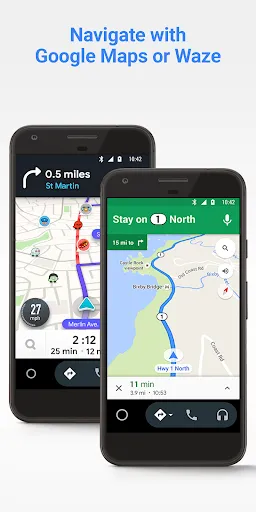
• Route to your next destination using Google Maps or Waze with real-time GPS navigation and traffic alerts.
• Get updates on your route, ETA, and hazards in real-time.
• Have the Google Assistant check your calendar for you so you know where you need to be.
• Set reminders, get updates on the news, and check last night’s score.
• Avoid distractions while driving by setting a custom do not disturb message while driving.
• Make calls using Google Assistant and answer incoming calls with just a tap.
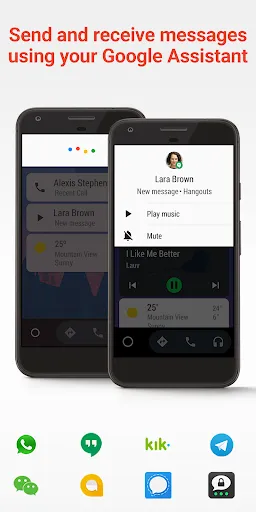
• Access your contacts folder and send and receive messages with the Google Assistant using SMS, Hangouts, WhatsApp, Skype, Telegram, WeChat, Kik, Google Allo, and many more messaging apps.
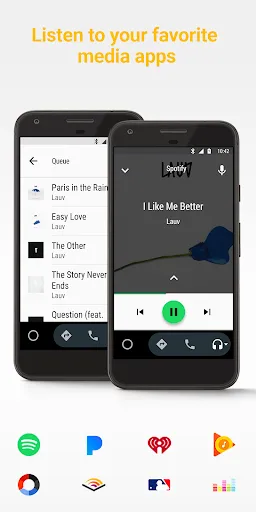
• Manage your infotainment system like never before. Listen to your favorite media apps including Spotify, Pandora, iHeartRadio, Google Play Music, Amazon Music, SiriusXM, TIDAL - High Fidelity Music Streaming, Napster Music, and Deezer. Many more music, radio, news, sports news, audiobook, and podcast apps are also supported.

The number of compatible apps is always growing! For a full list of compatible apps, go to http://g.co/androidauto

To use Android Auto, you’ll need a phone running Android 6.0 or higher and an active data connection.
Over 400 car models now support Android Auto! To find out if your car display is compatible and how to enable it, check your owner’s manual or contact your car’s manufacturer. Once enabled, use a high quality USB cable to connect your phone to your car, then launch Android Auto to get going!
Learn more about Android Auto and compatible cars at http://android.com/auto
For support: http://support.google.com/androidauto
Get help from our community: https://productforums.google.com/forum/#!forum/android-auto

User Reviews

4.13
5M+ Reviews
5
63%
4
16%
3
6%
2
3%
1
13%
Blee
Apr 29, 2026

So Sweet!

Eddie Carillo
Apr 29, 2026

Great update and easy to navigate!

Alex McIntosh
Apr 29, 2026

it's got what I want when it connects to the cars

Shaun L
Apr 29, 2026

Can't fault it! Work perfectly in the car and always on my motorcycle.....perfect 👍

Jim Fischer
Apr 29, 2026

The music and gps in my phone sync without any issues. It's better than it was.

Hussain Shaikh
Apr 29, 2026

excellent service 💯

Mr B,_;- k
Apr 29, 2026

hello dear good

Shawn Mitchell
Apr 29, 2026

Very Convenient

Furqan Ali
Apr 29, 2026

It's very annoying that I can't stop the music from autoplaying despite switching off autoplay in the options.

Lester VanHorn
Apr 29, 2026

Great app