LegendPeeps
Home Apps Art & Design Da Vinci Eye: AR Art Projector
Da Vinci Eye: AR Art Projector

Da Vinci Eye: AR Art Projector

4.18
|
V4.1.7
|
100K+
Da Vinci Eye: AR Art Projector screenshot Da Vinci Eye: AR Art Projector screenshot Da Vinci Eye: AR Art Projector screenshot Da Vinci Eye: AR Art Projector screenshot Da Vinci Eye: AR Art Projector screenshot Da Vinci Eye: AR Art Projector screenshot Da Vinci Eye: AR Art Projector screenshot Da Vinci Eye: AR Art Projector screenshot

App Information

Category Art & Design
Developer Da Vinci Eye LLC
Version 4.1.7
Content Rating Teen
Price Free
Min Android 11
Updated May 7, 2026

Description

This is our brand new app rebuilt from the ground up for Android!

As seen on Shark Tank and featured in Apple's Apps We Love, Watercolor Artist Magazine, Handmade Seller Magazine, LifeHacker, MakeUseOf, Fast Company (Innovation Award winner).

Da Vinci Eye is used by millions of creatives from painters to bakers to make incredible artwork. The app is not just for tracing, it offers a wide range of drawing tools, lessons, daily drawing prompts, and a supportive community to share your artwork!

IMPORTANT!: Please read how this app works below and the device requirements for AR Mode BEFORE purchasing.

HIGHLIGHTS

• Create incredible artwork from your own photos
• Make hyper-realistic drawings with our strobe feature
• Record time-lapse videos of your drawings
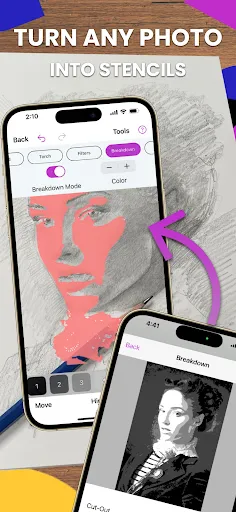
• Separate images into layers by color value, then view those areas on your canvas
• Easily learn the fundamentals of drawing
• Breakdown any image into step-by-step instructions
• Video tutorials
• Use filters to make drawing even easier
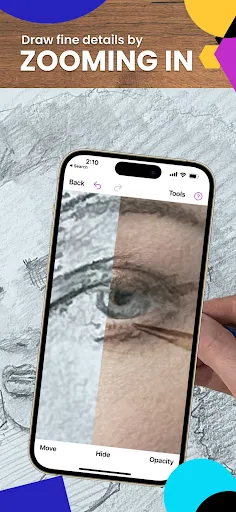
• Zoom in to capture micro details in your drawings
• Connect with our community to share your artwork
• Insanely fast customer support!

PERFECT FOR ANY ARTIST

• Bakers
• Cartoonists
• Tattoo Artists
• Illustrators
• Fiverr Designers
• Hobbyists
• Makeup artists
• Nail Technicians
• Animators

No matter what skill level you’re at — Da Vinci Eye is here for you!

OVERVIEW

How many times have you been drawing a portrait for hours only to realize that the nose or the eye is in the wrong place? You can use Da Vinci Eye to layout artwork before you begin or even check your work as you progress.

Having a hard time seeing where lights or darks go? Breakdown images into layers by color value. Then virtually project those layers on top of your image. You can see exactly where to place the darkest darks, mid-tones, and highlights.

CAN'T THINK OF WHAT TO DRAW?

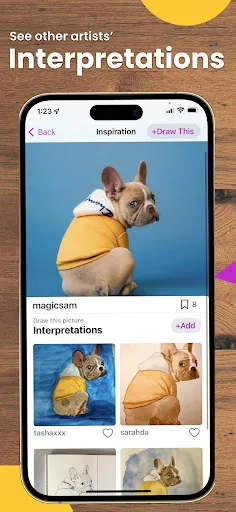
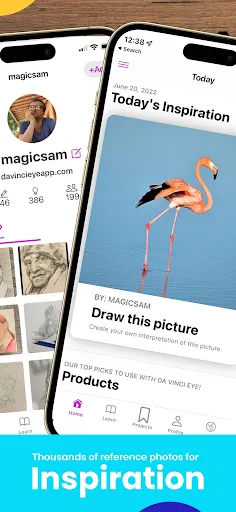
Check out our inspiration section for user uploaded reference photos. If you have a great pic, you can even upload your own content for other artists to draw.

LEARNING HOW TO DRAW?

We have lessons using our unique patent-pending learning method. You can also turn ANY photo into a step by step shading drawing lesson.

HOW DOES IT WORK?

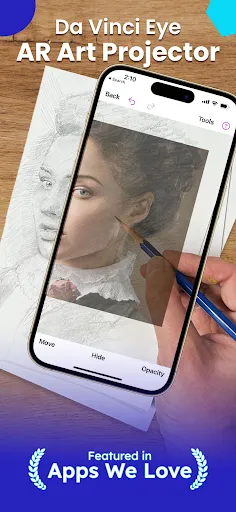
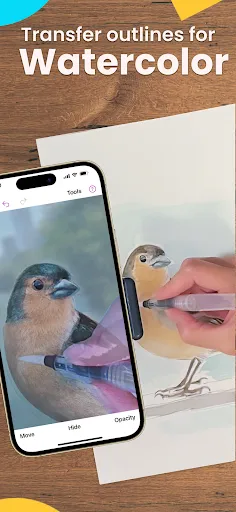
Based on a tool that has been used by artists for centuries, this app is a digital version of a Camera Lucida.

You suspend your iPhone or iPad above or in front of your canvas with a stand, tall glass, or other objects easily found around your house.

When you look through your phone, you will see both the image and the canvas simultaneously. It's similar in functionality to an art projector or light box, but with the ability to do so much more.

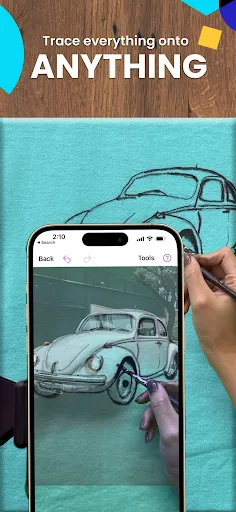
You can draw on any surface, zoom in to draw micro details in your drawing, and you don't have to draw in the dark.

WILL THIS HELP ME LEARN HOW TO DRAW?

Using Da Vinci Eye, you will be training your eye to recognize proportions and draw with shading while training your hand to translate precise lines and strokes on paper. You’ll learn faster and more efficiently using our proven techniques compared to any other app.

AR & CLASSIC MODE

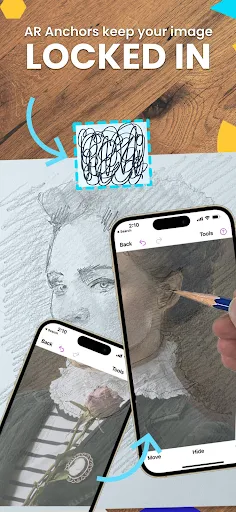
AR mode anchors your image to an object in the real world. This lets you move your canvas or phone, and the drawing and projected image will stay aligned.

Classic mode is like a normal art projector, where if you move your phone or canvas, the drawing will no longer be aligned.

AR mode is especially useful for drawing or painting on an easel. However, in most cases, Classic mode will achieve the same result.

TAKE YOUR DRAWING TO THE NEXT LEVEL

Download Da Vinci Eye today! No one ever regretted sharpening their drawing skills.

Terms of Use Link: http://davincieyeapp.com/terms-of-service/

User Reviews

4.18
2K+ Reviews
5
69%
4
9%
3
6%
2
2%
1
14%
aluogod
Jul 6, 2026

its ad free (instant 5 star)

Zenebe Hailu
Jul 5, 2026

tray it

Arnab Chakma
Jul 5, 2026

wow awesome this is realistic drawing I like this app

Todd
Jul 5, 2026

this app is what i been looking for forever. i need to get a proper holder for my phone but i basically just projected an image onto a canvas that i been really wanting to finish and it turned out great. thanks

charles xander sison
Jul 4, 2026

this app is awesome this have no ad

Rijaluddin Ahmad
Jul 4, 2026

have to buy it

Feyincarnate
Jul 4, 2026

Very easy to use and makes it SO EASY to trace my drawings onto canvas for painting! Great tool for any artist's workflow, beginner and beyond. :)

Mama Bear
Jul 3, 2026

very cool app!

Afreen Kader
Jul 3, 2026

I just love the app its totally free God bless u u are so worth lots of love from many artists ❤️🤗💯

Thakur Kashmir Singh Dadhwal
Jul 3, 2026

best app to help improve drawings.....