LegendPeeps
Home Apps Productivity OtterAI Transcribe Voice Notes
OtterAI Transcribe Voice Notes

OtterAI Transcribe Voice Notes

4.72
|
V3.103.0-6392
|
5M+
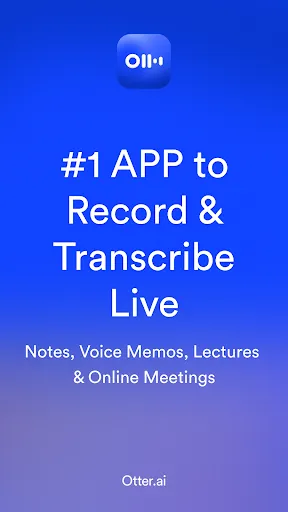
OtterAI Transcribe Voice Notes screenshot OtterAI Transcribe Voice Notes screenshot OtterAI Transcribe Voice Notes screenshot OtterAI Transcribe Voice Notes screenshot OtterAI Transcribe Voice Notes screenshot OtterAI Transcribe Voice Notes screenshot

App Information

Category Productivity
Developer Otter.ai
Version 3.103.0-6392
Content Rating Everyone
Price Free
Min Android 6.0
Updated Jul 6, 2026

Description

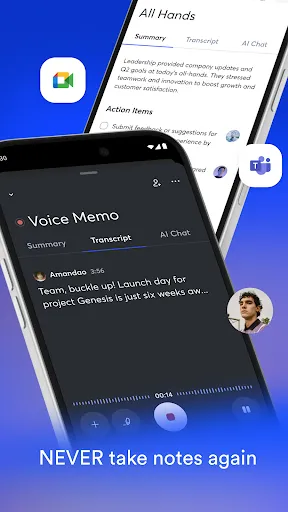
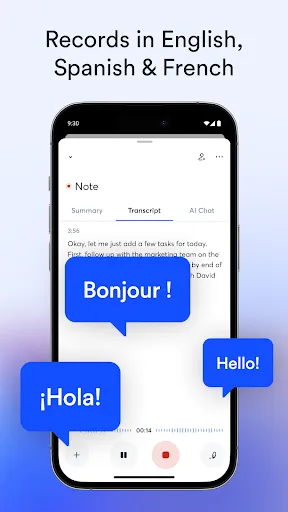
Never take team meeting or lecture notes again. Get an AI meeting assistant that records audio, takes notes, voice memos, automatically captures slides, and transcribes voice summaries. Show live caption in real time. Great for in-person recordings and online meetings. Also available on the web. English, Spanish, French only.

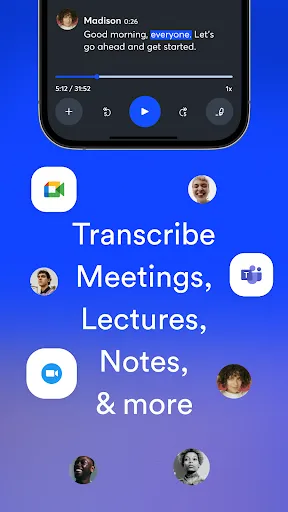
Condense a 1 hour meeting into 30 seconds. Otter transcribes all your meetings, interviews, lectures, and everyday voice conversations in real time. Get automated notes for in-person, Zoom, Google Meet, and Microsoft Teams.

KEY FEATURES
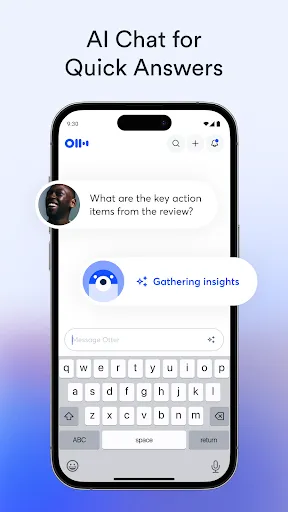
★ AI chat: get answers, write emails
★ AI meeting note taker & real-time AI transcription
★ Audio recorder
★ Transcribe notes live
★ Automated meeting note taker, voice memos & summarizer
★ AI Channels: Instant chat on various channels
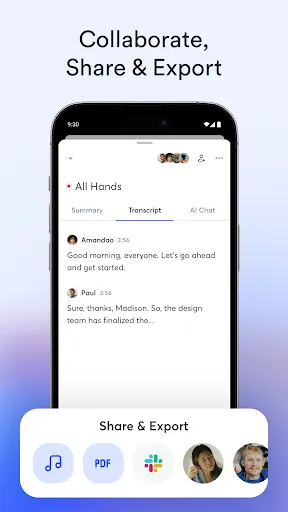
★ Share & collaborate
★ All notes are searchable & shareable
★ Edit & highlight
★ Organize & export
★ Import & sync

Many Uses
★ Save time - automatic note taking
★ Keep team in sync - share notes and action items
★ Record and transcribe interviews, lectures, podcasts, videos, webinars, keynotes
★ Provide live captioning to anyone with accessibility needs

Record & Transcribe Live
★ Record instantly in one tap, with widget and shortcut
★ Transcribe in real time (when online) with high accuracy
★ Automatic note taking
★ Highlight the key points to review later
★ Insert photos of whiteboard discussions, slides, etc.
★ Scroll back to grab a quote or revisit a point
★ Input audio via built-in mic or Bluetooth device

Enrich Notes with AI
★ AI meeting note taker
★ Punctuate, capitalize, and break paragraphs automatically
★ Identify speakers (after some training)
★ Automated Slide Capture during virtual team meetings
★ Automated Summarizer after all team meetings

Share & Collaborate
★ Start a meeting recording inside a group to share the transcript live
★ Invite workplace team members to view, edit, and highlight collaboratively. All highlights are captured in the Takeaways panel.
★ Within the Takeaways panel, add comments & assign action items.
★ Share externally via links

Search & Playback
★ Search the text so you don't have to scrub through the whole audio
★ Playback at adjustable speeds
★ Follow along the highlighted word as the audio is playing
★ Tap on any word to jump the audio to that spot

Edit & Highlight
★ Edit the text to correct any errors
★ Tag the speakers to label the paragraphs and train Otter to identify meeting speakers
★ Highlight sentences in one tap

Organize & Export
★ Organize your conversations and notes into personal folders
★ Copy to clipboard, or share directly into other apps
★ Export text as PDF, TXT, or SRT
★ Export audio as MP3

Import & Sync
★ Import audio (aac, m4a, mp3, wav, wma) and video (avi, mov, mp4, mpg, wmv)
★ Upload from Call Recorder - ACR or other call recording apps
★ Sync with your calendars to get reminders to record your teams meeting and auto-title your notes
★ Import your contacts so it's easier to share
★ Automatically back up your data to Otter’s cloud & access securely from any device

Otter Pro
★ Bulk export
★ More playback speeds and skip silence

Requirements
※ Android 6.0 & up
※ Internet connection for transcribing
※ Account creation. See our Terms of Service: otter.ai/terms-of-service

We take security and privacy very seriously. Your data is confidential with Otter. We do not sell or share your data with 3rd parties. You have full control to delete your data permanently. Learn more at https://otter.ai/privacy

Contact Us
▶ Support: https://help.otter.ai
▶ Facebook: @OtterAI
▶ LinkedIn: Otter.ai
▶ X (Twitter): @otter_ai
▶ Web: otter.ai

Downloads

V3.103.0-6392

Size: 28.62 MB

Updated: 2026-07-06

User Reviews

4.72
38K+ Reviews
5
84%
4
10%
3
2%
2
1%
1
3%
Sakhile Zulu
Jul 9, 2026

took an don't be scared to people

Ron Messina
Jul 8, 2026

I'm guessing most people will want to use this app to record a call and then have it provide you with notes from the call. THIS IS NOT AN AVAILABLE OPTION. however, they encourage you to record the call with your own phone and then upload audio (sneaky) so you will have to start paying for a subscription almost immediately if you want to use it like this. DELETE

ShiiTiv Wanjiru
Jul 8, 2026

it's the best for transcripting

Hetal Shah
Jul 8, 2026

Better than most.

Ayishatu Osman
Jul 7, 2026

excellent

David Sponseller
Jul 7, 2026

pretty cool

Donna Yannazzone
Jul 6, 2026

Great to see transcript, as note taking skills too slow.

Ironwood
Jul 6, 2026

Just started. Nice

Cresent Ramsey
Jul 6, 2026

I love it

Abdullah
Jul 6, 2026

One of the crappiest software I have seen. Spams with emails, not just you but the people you're in meetings with. Want to delete your account? Not sure if account was deleted or not but here's a survey this trash app wants to shove into your face. UX is as low as a UX possibly can be.