LegendPeeps
Home Apps Comics 마루뷰어-만화뷰어,텍스트뷰어,스캔뷰어,소설뷰어
마루뷰어-만화뷰어,텍스트뷰어,스캔뷰어,소설뷰어

마루뷰어-만화뷰어,텍스트뷰어,스캔뷰어,소설뷰어

4.96
|
V2.0.25
|
100K+
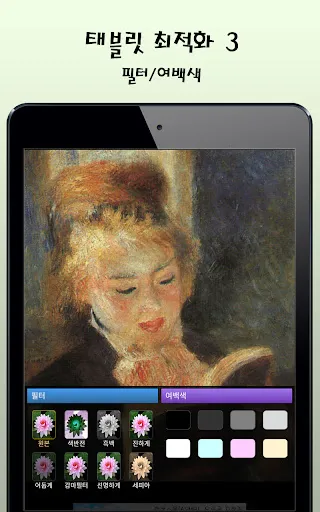
마루뷰어-만화뷰어,텍스트뷰어,스캔뷰어,소설뷰어 screenshot 마루뷰어-만화뷰어,텍스트뷰어,스캔뷰어,소설뷰어 screenshot 마루뷰어-만화뷰어,텍스트뷰어,스캔뷰어,소설뷰어 screenshot 마루뷰어-만화뷰어,텍스트뷰어,스캔뷰어,소설뷰어 screenshot 마루뷰어-만화뷰어,텍스트뷰어,스캔뷰어,소설뷰어 screenshot 마루뷰어-만화뷰어,텍스트뷰어,스캔뷰어,소설뷰어 screenshot 마루뷰어-만화뷰어,텍스트뷰어,스캔뷰어,소설뷰어 screenshot 마루뷰어-만화뷰어,텍스트뷰어,스캔뷰어,소설뷰어 screenshot 마루뷰어-만화뷰어,텍스트뷰어,스캔뷰어,소설뷰어 screenshot 마루뷰어-만화뷰어,텍스트뷰어,스캔뷰어,소설뷰어 screenshot 마루뷰어-만화뷰어,텍스트뷰어,스캔뷰어,소설뷰어 screenshot

App Information

Category Comics
Developer 마루치아라치
Version 2.0.25
Content Rating Everyone
Price Free
Min Android 7.0
Updated Jun 1, 2026

Description

It is an app that lets you open text files, comics files, compressed files, PDFs, and epub files stored in your Android phone or web hard drive and view them like a book.

※ By default, content (novel/comic files) is not provided.
※ Only Google Play Protect certified devices are supported.

The main features are as follows.


1. Text Viewer

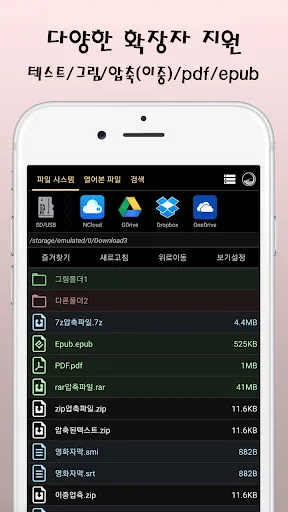
- txt, csv, smi, sub, srt support
- epub support (text and picture display)
- Open compressed text (zip, rar, 7z): Open directly without decompression
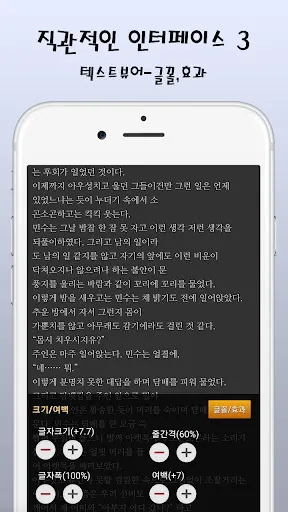
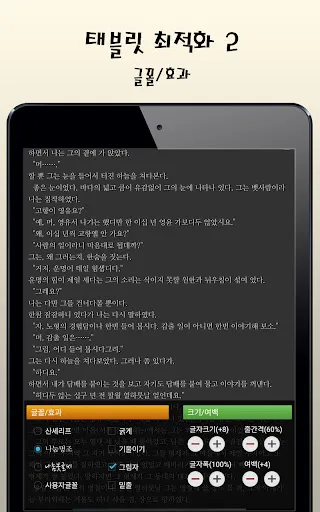
- Font (calligraphy/Myeongjo) change, size/line spacing/margin adjustment
- Fix character encoding (auto/EUC-KR/UTF-8,...)
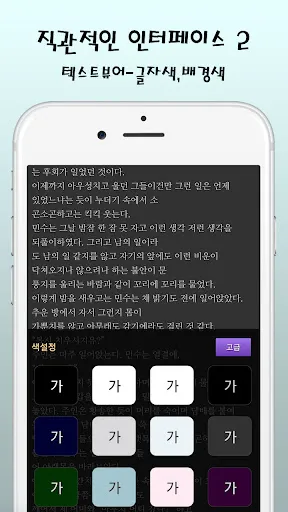
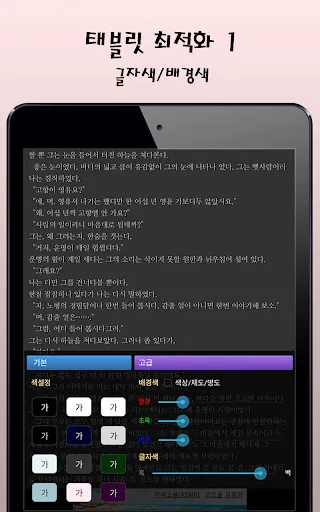
- Change text color/background color
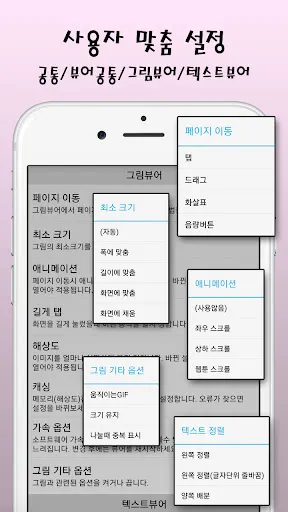
- How to turn pages: arrow/screen tap/screen drag/volume button
- Flip effect (animation): roll, slide, push, scroll up and down
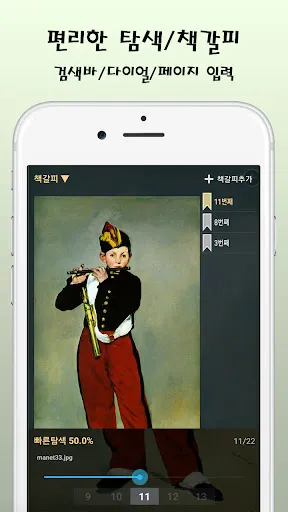
- Quick search: navigation bar, dial, page input
- Add/Rename/Sort/View Bookmarks
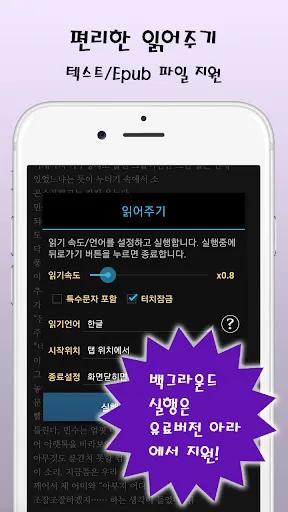
- Reading: language selection, speed control, special characters/kanji exclusion options
- Slideshow support: speed control
※ Background execution possible in the paid version
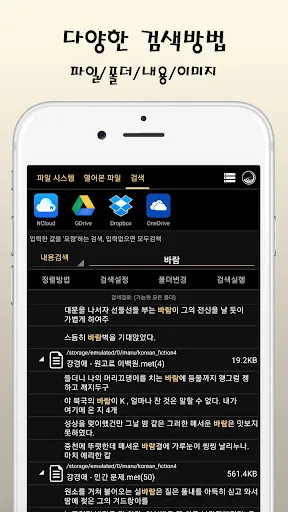
- Text Search: Search one by one, all
- Text editing: edit, add new file
- Text Alignment: Left, Both Sides, Horizontal 2 Views
- Support for two-column view
- Organize sentences, divide files (long tap on file name)


2. Manga Viewer

- Supports jpg, png, gif, bmp, webp, tiff, zip, rar, 7z, cbz, cbr, cb7, pdf files
- Open compressed image (zip, rar, 7z): Open directly without decompression
- Double compression support
- pdf support: up to 8x magnification option and sharp option when magnified
- Left-to-right order/divide: Left -> Right, Right->Left (Japanese style), View 2 horizontally
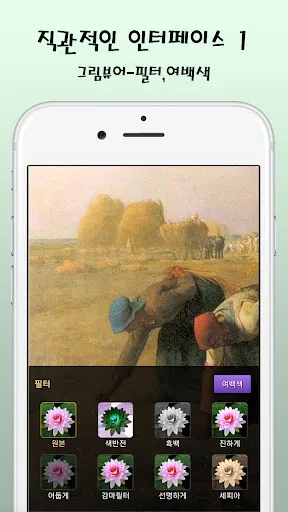
- Zoom in/out/magnifying glass (when animation is not used)
- How to turn pages: arrow/screen tap/screen drag/volume button
- Flip effect (animation): scroll left and right, scroll up and down, scroll webtoon
※ Webtoon Scroll enables smooth scrolling of very long pictures
- Quick search: navigation bar, dial, page input
- Add/Rename/Sort/View Bookmarks
- Slideshow support: set in seconds
- keep the picture enlarged
- Animated gif support
- Picture rotation support (manual rotation/JPEG auto rotation)


3. File function

- Reading information color display: red (recent), green (partially read), blue (completely read)
- Preview: Tile type (large, small), view details
- Select file extension
- Sort: name, size, date
- Delete (multiple) support
- Rename support
- Search support: name, content, picture


4. Others

- theme/color support
- Language selection support (Korean, Chinese, Japanese, English)
- SFTP (secure file transport protocol) support
- FTP (file transport protocol) support
- SMB (Windows shared folder, Samba) support
- Google Drive support
- Dropbox support
- MS OneDrive support
- password lock
- Note 9 and above spen support: page turning, slideshow pause
- Headset button support: Pause slideshow
- Media button (Bluetooth earphone, etc.) support: Pause reading
- Backup/restore settings (compatible with Maru, Maru Viewer, and Ara)
- Shortcut management function (eg, add/delete Naver NDrive app shortcut)

permission information
- Storage space (required): Read contents or edit/delete files

Downloads

V2.0.25

Size: 13.72 MB

Updated: 2026-06-01

User Reviews

4.96
9K+ Reviews
5
96%
4
4%
3
0%
2
0%
1
0%
Yong Rhee
Apr 11, 2025

I used 8yrs ,best then another apps

Won Lee
Sep 5, 2024

사용하기 좋은 앱입니다 감사하고요 앱에서 형광펜이나 밑줄치기 및 첨부 그쓰기도 가능 하면 더욱 좋겠습니다

아띠,2026
Jan 5, 2023

정말 편하고 쉬운 앱. 추천합니다

아띠,2026
Jan 3, 2023

지금까지는 최고로 편한 앱니다 너무 편하고 쉬워 다른 앱은 사용하고 싶지 않아요 추천합니다

oah H
Jan 20, 2022

사용성도 좋고 편하네요.

Seulki Na
Dec 11, 2021

메뉴를 한글로 변경 했는데 ,계속 영어가 나오지만 이렇게 깔끔한 뷰어는 처음 써보네요. 만화책보기 정말 좋아요

Joowon Lee
Sep 4, 2021

Easy to use. Simple. highly recommend.

양하연
Sep 2, 2021

Nice interface and easy manipulation

이채헌
May 6, 2021

Perfect. I didn't expect it to have an editing function. I was pleasantly surprised.

Ai Li
Mar 20, 2021

진찌 좋네용 원래 리뷰 잘안하는데 이건 넘 좋음