LegendPeeps
Home Apps Tools SMS Backup & Restore
SMS Backup & Restore

SMS Backup & Restore

3.86
|
V10.26.003
|
10M+
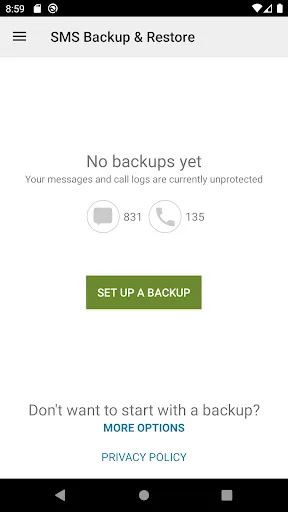
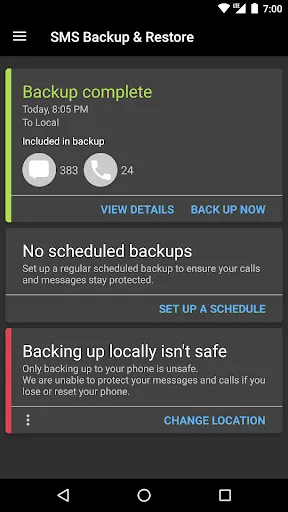
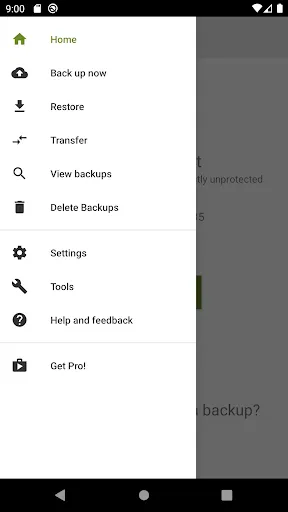
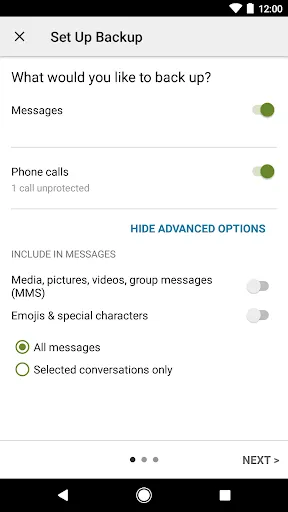
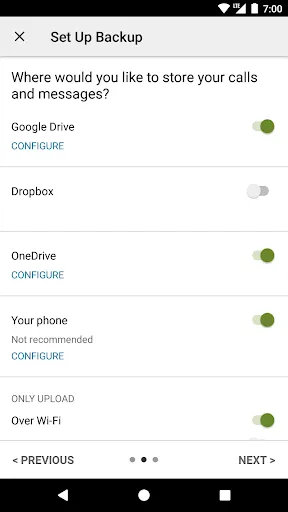
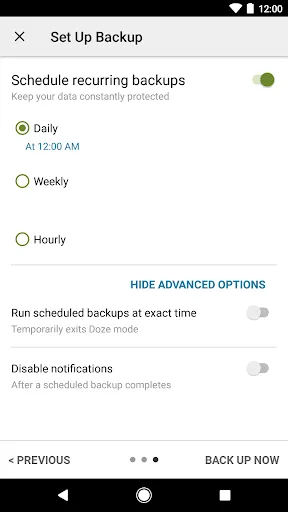
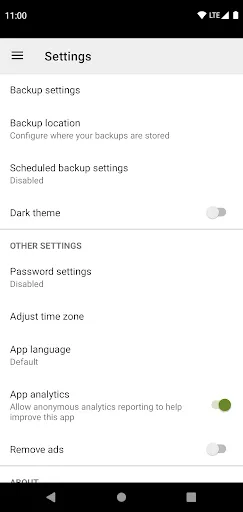
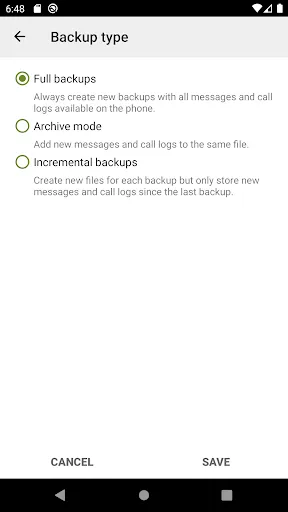
SMS Backup & Restore screenshot SMS Backup & Restore screenshot SMS Backup & Restore screenshot SMS Backup & Restore screenshot SMS Backup & Restore screenshot SMS Backup & Restore screenshot SMS Backup & Restore screenshot SMS Backup & Restore screenshot

App Information

Category Tools
Developer SyncTech Pty Ltd
Version 10.26.003
Content Rating Everyone
Price Free
Min Android 6.0
Updated Jun 29, 2026

Description

SMS Backup & Restore is an app that backs up (creates a copy of) SMS & MMS messages and call logs currently available on the phone. It can also restore messages and call logs from already existing backups.

Note: This app requires existing backups to be able to restore call logs and messages. It cannot recover anything without existing backups.

To view the contents of the backups, visit https://www.synctech.com.au/view-backup/

For questions or issues please visit our FAQ at: https://synctech.com.au/sms-faqs/


APP FEATURES:
- Backup SMS (text) messages, MMS and call logs in XML format.
- Local device backup with options to automatically upload to Google Drive, Dropbox and OneDrive.
- Choose a recurring scheduled time to automatically backup.
- Option to select which conversations to backup or restore.
- View and drill into your local and cloud backups.
- Search backups.
- Restore/transfer backup to another phone. Backup format is independent of the Android version so the messages and logs can be easily transferred from one phone to another, irrespective of the version.
- Fast Transfer between 2 phones over WiFi direct
- Free up space on your phone. Delete all SMS messages or call logs on the Phone.
- Email a backup file.
- The XML backup can be viewed on a computer via the online viewer at https://SyncTech.com.au/view-backup/

Notes:
- Tested on Android 5.0 and higher
- App only restores backups made by this app
- Backup is created locally on the phone by default, but has options to upload to Google Drive, Dropbox, OneDrive or Email. At no time are the files sent to the developer.
- Please ensure there is a copy of the backup outside the phone before performing a factory reset on the phone.

This App needs access to the following:
* Your messages: Backup and Restore messages. Receive SMS permission needed to properly handle messages received while the app is the default messaging app.
* Your Calls and Contact information: Backup and Restore Call Logs.
* Storage: To create the Backup file on the SD card.
* Network view and communication: Allows the app to connect to wifi for backup
* Your social information: To display and store the contact names in the Backup file.
* Run at start-up: Start scheduled Backups.
* Prevent Phone from Sleeping: To prevent the phone from going to sleep/suspended state while a Backup or Restore operation is in progress.
* Test access to Protected Storage: To create the Backup file on the SD card.
* Account Information: To authenticate with Google Drive and Gmail for cloud uploads.
* Location: Only requested and used during WiFi direct transfer due to a security requirement on Android.

Downloads

V10.26.003

Size: 19.55 MB

Updated: 2026-06-29

User Reviews

3.86
131K+ Reviews
5
61%
4
9%
3
6%
2
5%
1
19%
The Wombat1957
Jul 8, 2026

what a little treasure this app is, i use it all the time, very easy to use. i am a 70 yr old man and really appreciate Apps that make my life easy .

Victor Del Rio
Jul 7, 2026

Worked great!

Missing Symphony
Jul 7, 2026

transferring from Samsung messaging to Google wasn't as smooth as they said it would with missing sent texts, used this app to backup and restore and I got every text, received and sent transferred to google, it really did help

James Mackey
Jul 7, 2026

wrong format to open

Shih-Jay Cheng
Jul 6, 2026

Wish the data backup would be more successful instead of using manual backup all the time.

Ashok
Jul 6, 2026

Best app to make safe, trustworthy, and reliable backups. Been using this since years and it's extremely well engineered.

C. Me
Jul 6, 2026

I was told my messages were lost once I received a new phone. However, thanks to YouTube and SMS Backup & Restore , I received my text messages on my new device. Highly Recommended

Gift IJ
Jul 6, 2026

awesome app. I have used for years now, four different phone transfer eras. never missed one message log. highly recommended. don't change your great service

MzErica Thompson
Jul 6, 2026

This app helped me to finally get all of my Google messages texts transferred to my new phone!

Van Nguyen Hoai
Jul 6, 2026

good