
LegendPeeps
Home Apps Parenting Qustodio Parental Control App
Qustodio Parental Control App

Qustodio Parental Control App

3.64
|
V182.35.0
|
5M+
Qustodio Parental Control App screenshot Qustodio Parental Control App screenshot Qustodio Parental Control App screenshot Qustodio Parental Control App screenshot Qustodio Parental Control App screenshot Qustodio Parental Control App screenshot Qustodio Parental Control App screenshot Qustodio Parental Control App screenshot Qustodio Parental Control App screenshot Qustodio Parental Control App screenshot Qustodio Parental Control App screenshot Qustodio Parental Control App screenshot Qustodio Parental Control App screenshot Qustodio Parental Control App screenshot Qustodio Parental Control App screenshot Qustodio Parental Control App screenshot Qustodio Parental Control App screenshot Qustodio Parental Control App screenshot Qustodio Parental Control App screenshot Qustodio Parental Control App screenshot Qustodio Parental Control App screenshot Qustodio Parental Control App screenshot Qustodio Parental Control App screenshot Qustodio Parental Control App screenshot

App Information

Category Parenting
Developer Qustodio LLC
Version 182.35.0
Content Rating Everyone
Price Free
Min Android 7.0
Updated Mar 27, 2026

Description

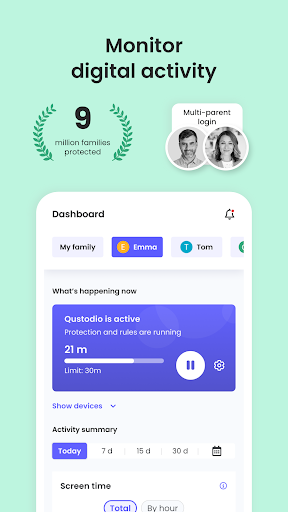
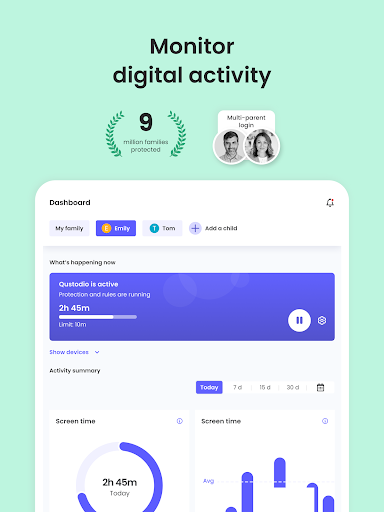
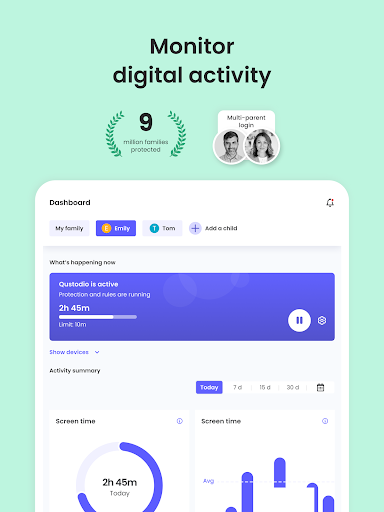
Awarded PC Mag’s Editors’ Choice, Qustodio Parental Control App makes parenting easier with daily screen time limits, app blocking, kid tracking, AI powered search and message alerts, social media monitoring, porn blocking and more.

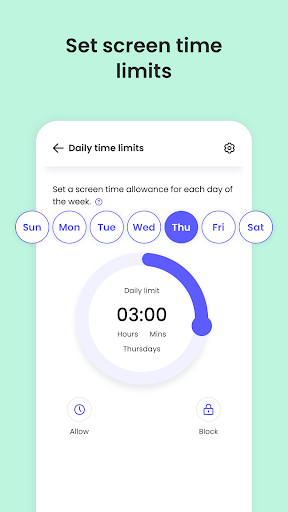
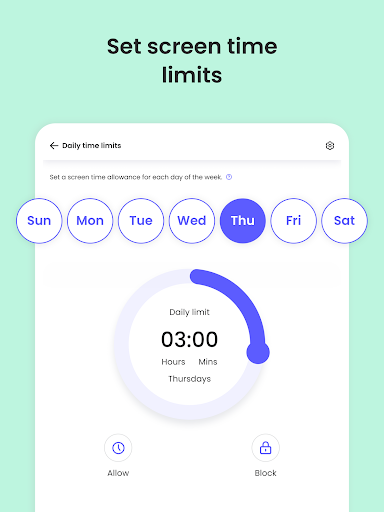
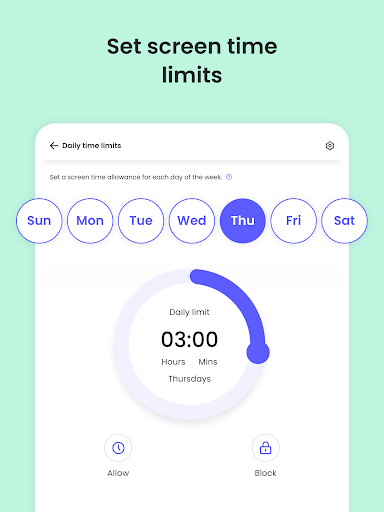
- Screen time limits: Automatically blocks the device after the set time has passed.
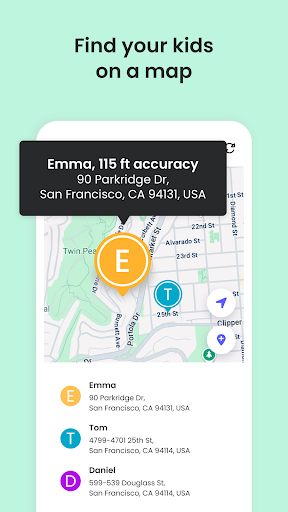
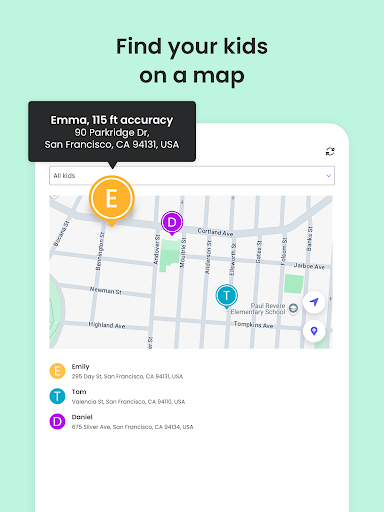
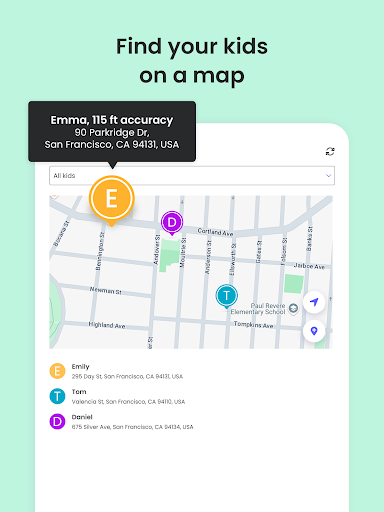
- Family locator & GPS family tracker: Tracks your kid's phone and sends you the GPS location
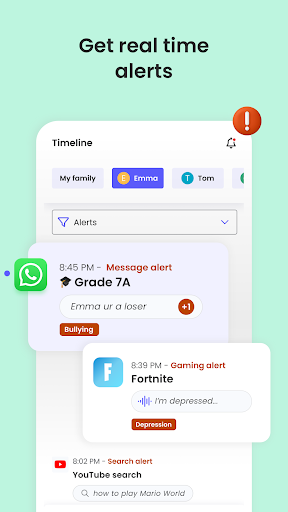
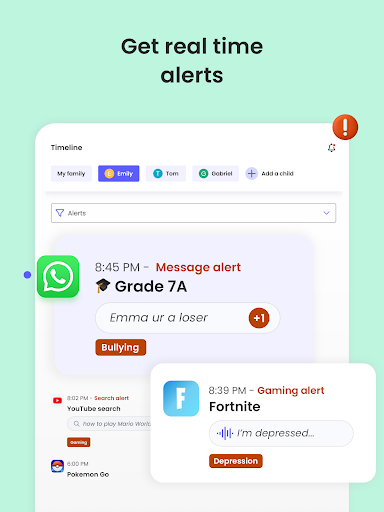
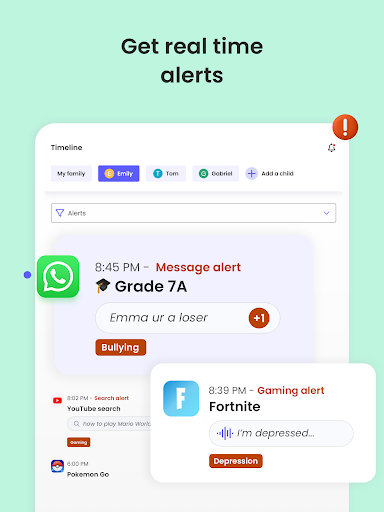
- AI-powered message and search alerts: Monitors and alerts for any suspicious browsing activity, or harmful SMS and social messages.

Start by downloading this Qustodio Parental Control App onto your device. Then download the Kids App Qustodio companion app onto your child’s devices. Together, the apps allow you to seamlessly manage your child’s daily screen time allowance on linked mobile, tablet or desktop devices across platforms including Android, iOS and other major operating systems.

Protect your child’s online safety
✓ Filter content (block games, websites, porn, gambling)
✓ Receive alerts about web activity and blocked websites
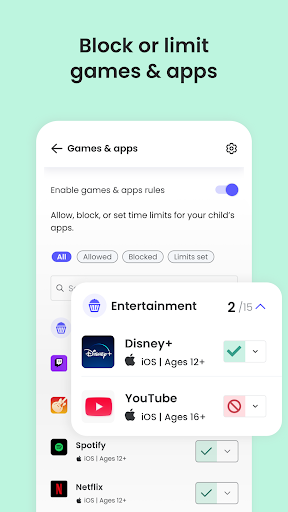
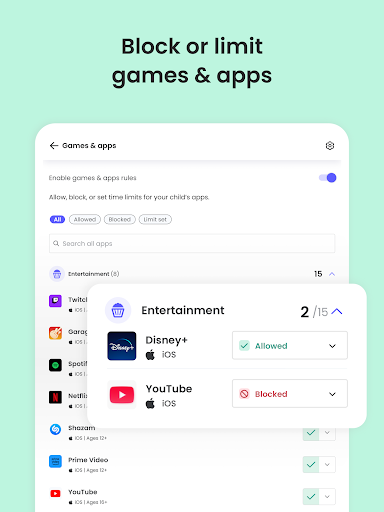
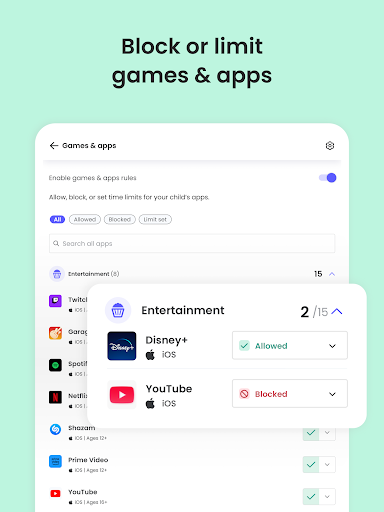
✓ Block games & apps
✓ Enforce safe search

Nurture healthy habits
✓ Set daily screen time limits on all content
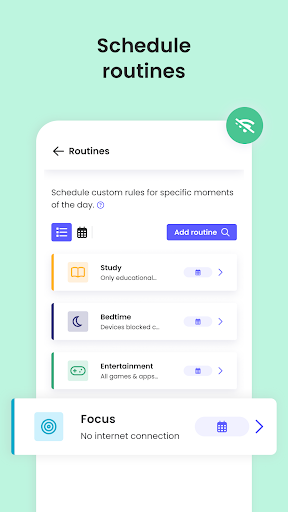
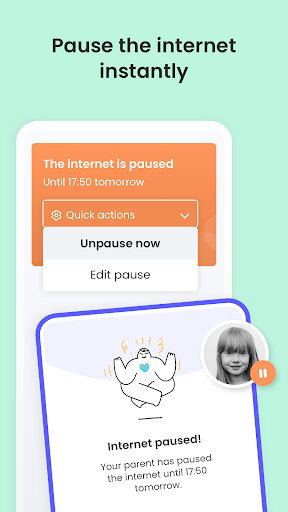
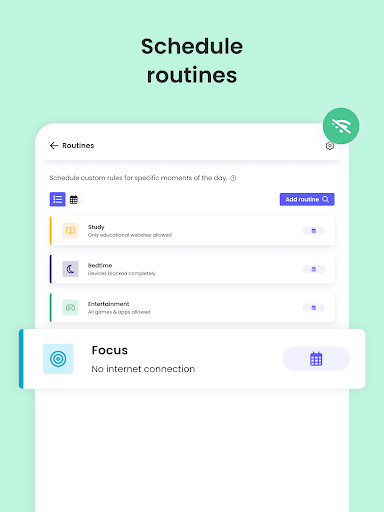
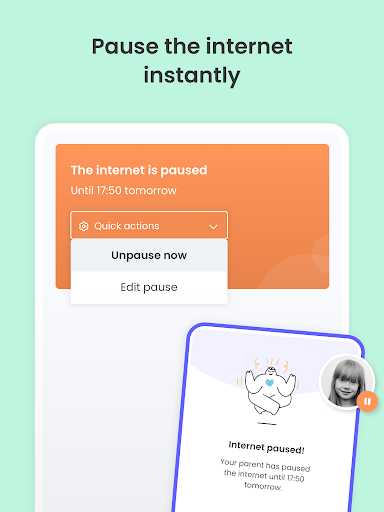
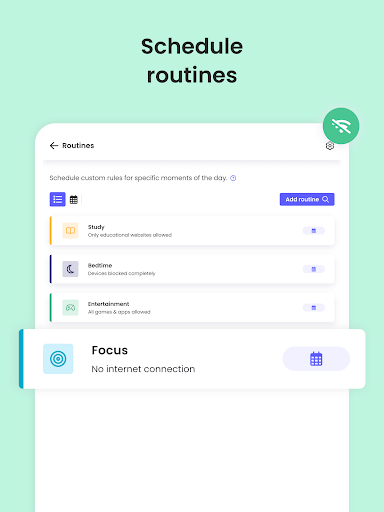
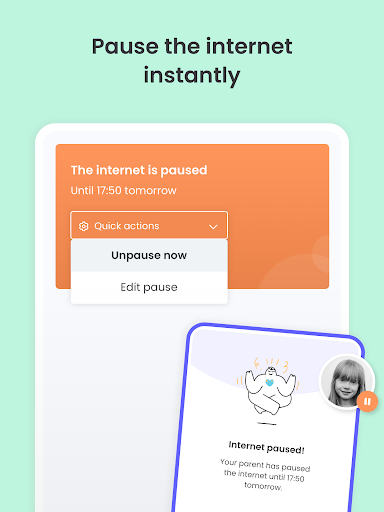
✓ Pause the internet at the touch of a button
✓ Set limits on games & apps
✓ Custom routines for apps and websites

Have full visibility
✓ Receive search alerts
✓ Receive SMS message alerts.
✓ Receive social monitoring alerts. (available WhatsApp, Instagram, and Line)
✓ 30-day online activity reports, as well as daily and weekly reports straight to your inbox
✓Receive app download alerts
✓ Monitor their Youtube activity
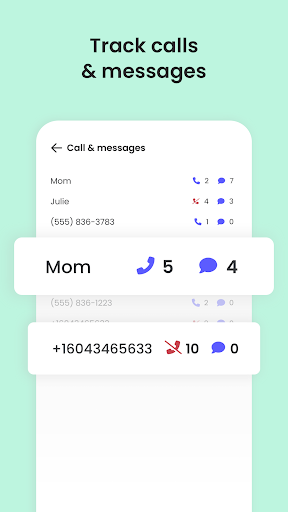
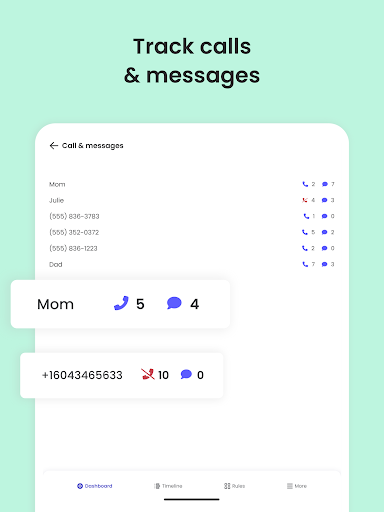
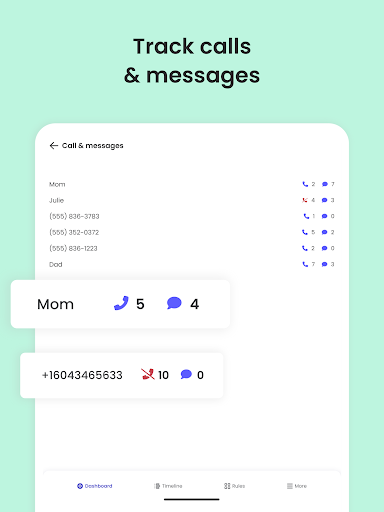
✓ Track and block unwanted calls and SMS messaging
✓ Supervise together: Invite another parent/guardian to monitor and set rules for your child (co-parent)
✓ Monitor on any iOS, Windows, Mac, Android or Kindle device
✓ Get up-to-date app insights

Locate your family
✓ GPS location monitoring (geolocation kid tracker)
✓ Find your child’s phone
✓ Locate kids on the move
✓ Share your location
✓ Save your favourite places
✓ Panic button for your child that can be installed on your child's device

Choose Qustodio’s basic parental control plan to access some of these features, or upgrade to the premium plan for full access to all features

How to protect, block, & monitor screen time with Qustodio Parental Control Apps:
1 – First download Qustodio Parental Control App onto your device (usually your mobile phone or laptop), create an account or log in
2 – Then install Kids App Qustodio on the device you want to supervise
3 – Log in and follow the quick setup instructions
4 – Once done, inappropriate websites will be blocked automatically
5 – To monitor activity and screen time use this Qustodio Parental Control App on a Parent’s device or log in to your online Qustodio Family Screen Time dashboard (https://family.qustodio.com)

Our FAQ:
• Does Qustodio Parental Control family screen time blocker app support Android 8 (Oreo): Yes.
• Does Qustodio family screen time blocker app work on other platforms besides Android? Qustodio can protect Windows, Mac, iOS, Kindle and Android.
• What languages do you support? Qustodio is available in English, Spanish, French, Italian, Portuguese, Dutch, German, Japanese and Chinese.

For support. Contact us here: https://www.qustodio.com/help and [email protected]

Notes:
This app uses the Device Administrator permission. This will prevent a user from uninstalling Qustodio Family Screen Time App without your knowledge.

This app uses Accessibility services to build an excellent device experience that helps users with behavioral disabilities set appropriate levels of access and monitoring of screen time, web content and apps, in order to limit their risks and enjoy life normally.

Troubleshooting notes:
Huawei devices owners: Battery-saving mode needs to be disabled for Qustodio.

Downloads

V182.35.0

Size: 73.19 MB

Updated: 2026-03-27

User Reviews

3.64
22K+ Reviews
5
54%
4
10%
3
6%
2
6%
1
24%
Jenny M
Apr 28, 2026

I'm amazed they are legally allowed to charge for an app that hardly ever works. After paying for this, I have spent weeks trying to get it working for any length of time. the stock advice that comes from customer support achieves nothing. reinstalling seems to work temporarily. However, the worst part is that the parental app always shows the app is operating. Just this morning, when the app showed my daughters phone was locked, I walked in to find her happily wasting time on tiktok

Santhi Kumar
Apr 26, 2026

my child able to by pass the quastodian. how I do not know . time is counting when child seeing phone after locking. some app are still able to see after lock of phone. this is not counting by custodin. plase rectify these problems

ts need to be 1 star not 3 stars

Joseph kimemia Wambui
Apr 22, 2026

more experience than I knew

Yahia Abdeen
Apr 21, 2026

Because it scammed me for 3.99 and all of my money went to the air it is a scamming app don't install it

Jolene Richardson
Apr 20, 2026

Not worth the money paid. Daughter phone shows "Left Home, Arrived home, left home, arrived home" multiple times during the day while she is at school and phone at home. Son's phone shows that he has not been active for days while he is. Re-installed app multiple times but still not fixed.

Ruth Muscat
Apr 19, 2026

i have been using this for a long time on android without a peoble. my daughter got an iphone 17pro max and the location stopped working even tho it is switched on and all settings are correct. any help will be appreciated

Maiya
Apr 18, 2026

In my opinion this is an invasion of my child's property.

stephen m
Apr 18, 2026

probably most difficult app to unsubscribe from in my experience. Payments auto renew and will keep charging you! and hide they method to unsubscribe... beware.

Andre Zavaglia
Apr 17, 2026

Has the potential to be great but isn't. My 12yo daughter can circumvent the protection, asked to send them a video they said they couldn't receive videos. Just sent me the same instructions. Didn't respond further when I asked for a pro-rated refund.. likely going back to google family link and will pair with another app to monitor socials.