

| Category | Art & Design |
| Developer | Pixilart |
| Version | 1.9.0 |
| Content Rating | Teen |
| Price | Free |
| Min Android | 10 |
| Updated | Mar 31, 2026 |

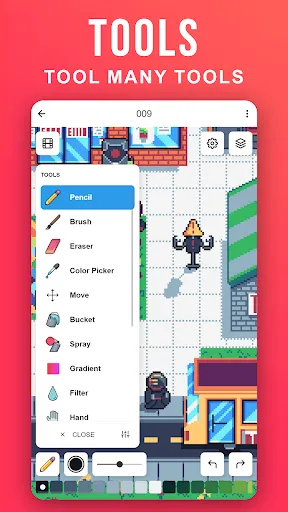
Phenomenal app! I am just dealing with a couple of issues. Being a mobile user, I encounter some problems with some of the tools; that being Selection, Line, Square and Oval. When I use the Selection tool, it occasionally glitches out, starting from the top left corner instead of where I press. It also happens to not allow me to press select. The Line, Square and Oval tools simply leave a pixel when I use two fingers to zoom or move the camera every time. I'd hope these issues could be fixed. ^^

Some tools don't work properly and the UI just kinda sucks, you're better off just using the desktop version instead.

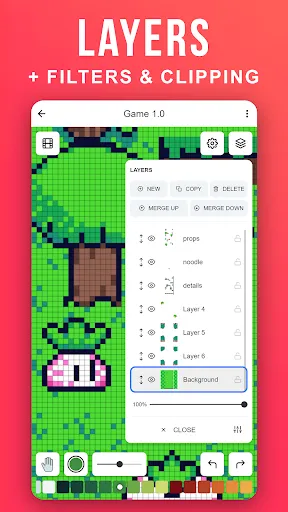
love this app , easy to use and has amazing features however, I noticed that its so easy to accidentally use the wrong layer and only midway through you actually notice it. other than that its great and would recommend!

sooo fun just want an update like no ads

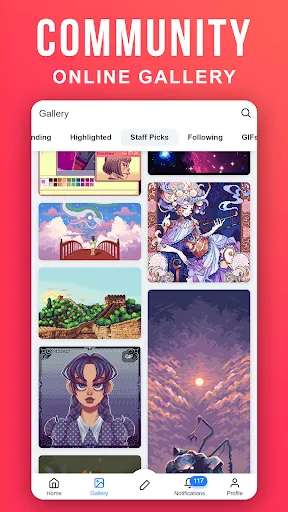
the best app for a community of artists and non artists Sharing and exchanging skills artworks and making a lot of long time friends of similar interests

i used a little of it because i was bored i uninstalled by accident i completely forgot about it until i reinstalled it i tried logging in couldn't reseted my password i login again didn't work i had no idea why, i didn't know my username so i used my email and now i can't login 😔

I wish there was a six-star rating because for a free app this app is AMAZING!

great interface for short bursts of creativity!

This works really well but if you do any updates, could you make it so making a mistake and accidently coming out doesn’t perminantly ruin the whole picture please? It could be crashing from pressing the back button too quickly or an exit button I don't know about. Also, could you make it so if you press the same pixel twice, it changes the colour to what it was before you pressed it as an eraser shortcut please? I spend a large amount of time erasing errors.

perfect

Umagic: AI Video Generator

FPE Character Creator

DaVinci - AI Image Generator

Tripo - AI 3D Model Generator

Cosmos: Search & Discover
Draw Animation: Draw Cartoons
Glow Finger Spinner Art App
AR Drawing : Trace Anything

Adobe Express: AI Photo, Video

Adult Coloring Book - Bloom