
LegendPeeps
Home Apps Parenting Pinwheel Caregiver
Pinwheel Caregiver

Pinwheel Caregiver

3.26
|
V1.7.1
|
10K+
Pinwheel Caregiver screenshot Pinwheel Caregiver screenshot Pinwheel Caregiver screenshot Pinwheel Caregiver screenshot Pinwheel Caregiver screenshot Pinwheel Caregiver screenshot Pinwheel Caregiver screenshot Pinwheel Caregiver screenshot Pinwheel Caregiver screenshot Pinwheel Caregiver screenshot

App Information

Category Parenting
Developer Pinwheel.com
Version 1.7.1
Content Rating Everyone
Price Free
Min Android 7.0
Updated Jun 29, 2026

Description

Solve the kid/phone problem with Pinwheel. No need to figure out which parental controls manage which device best! Pinwheel custom-built a system to give you the proper tool to teach your child healthy tech habits from day one.

This Pinwheel app provides access to our Caregiver Portal. The Caregiver Portal is designed to let you configure and control a Pinwheel smartphone for your child. The phone and the app work hand-in-hand to give your kid a healthy, safe first phone.

In this app, you can:

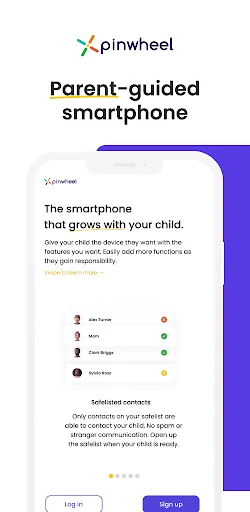
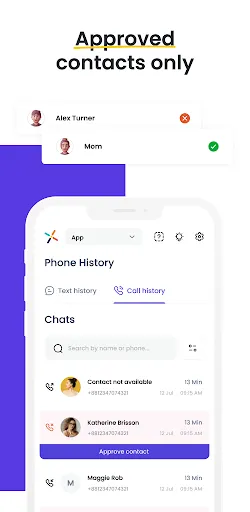
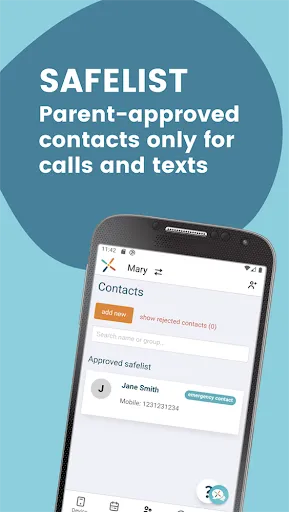
- **Safelist contacts.** A Pinwheel phone can only call and text with numbers approved by you. No strangers, no spam calls.
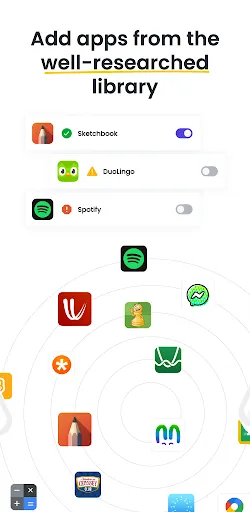
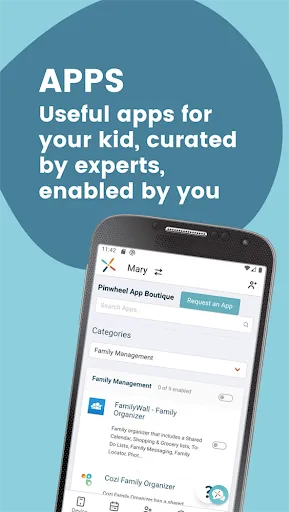
- **Enable apps.** No app store on the Pinwheel phone **keeps app choices in your hands**, not your child's. The curated app boutique makes it easy to choose useful, healthy, safe apps for your child. No social media, no addictive games, no mindless consumption.
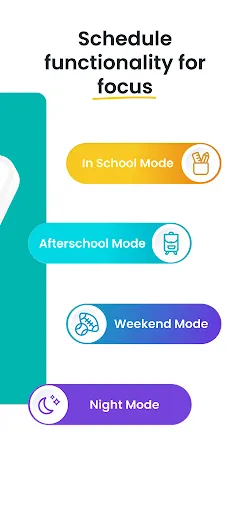
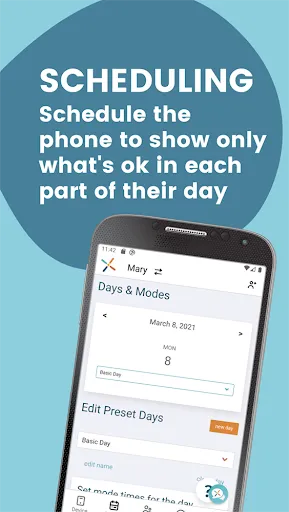
- **Schedule Permissions.** Our Days/Modes calendar lets you choose which contacts and apps are available at what times of day. No texting friends during school, no staying up late using apps. You choose what they can do during different times of day. No need to constantly remind them what is and isn't ok. **Pinwheel helps them develop healthy boundaries around technology use, without the drama**.
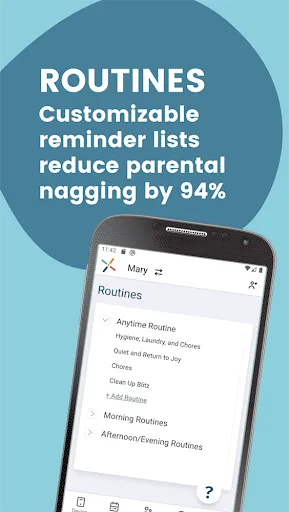
- **Create Routines.** Help your child learn to be more independent and responsible with Pinwheel's fully-customizable checklists. A morning routine to make sure they're ready for school on time, with teeth brushed and backpack in hand. A bedtime routine for evening peace. Routines for chores, for music practice, for anything you'd like your kid to do without you telling them for the millionth time. Gold stars and confetti help them celebrate their daily wins and nurture good habits as they *ask* to stay on track.
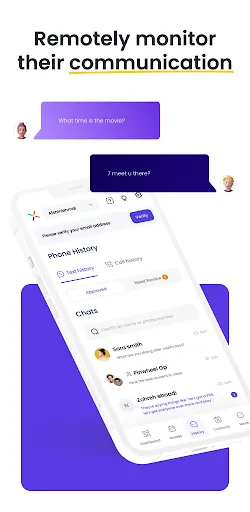
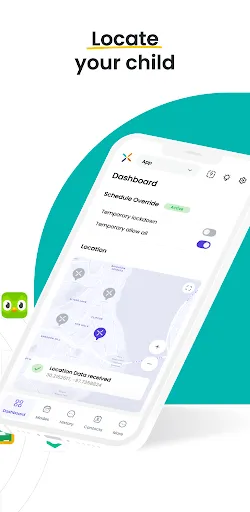
- **Parent Them Well.** Live Status shows you the location of the phone. Text history and a Bark subscription allow you to monitor and coach them on appropriate communication.

"Waiting as long as possible" for a phone isn't a plan. Giving them a phone designed for adults and hoping you set up all the controls correctly is a recipe for stress. Pinwheel solves the kid phone problem, with a phone designed to work for both of you.

You get a tool to teach them how to use technology well. They get a phone that helps them live their best life.

Download the Caregiver Portal app today to explore the parental controls for free! Visit our website to purchase a phone for your child, and put the controls to use.

————

**Pinwheel Subscription Pricing**

The Pinwheel Caregiver Portal app is a companion app to Pinwheel phones. Phones can be purchased, and the monthly subscription can be set up, through our website: http://pinwheel.com

Pinwheel Subscriptions

- FREE 30 Day Trial
- $14.99 USD/month

**Cellular Plans**

Pinwheel phones are unlocked devices, which allow you to choose your cellular plan from many major networks and providers. The cost for cellular service depends on which carrier and plan you choose. Our website has recommendations and information on those. For your convenience, we can even help you set up service.

————

**Need Help?**

If you have any questions, need help with Pinwheel, or want to provide feedback, please contact our Customer Care Team: [email protected] or click the LiveChat icon on our website: http://pinwheel.com

Downloads

V1.7.1

Size: 33.23 MB

Updated: 2026-06-29

User Reviews

3.26
212+ Reviews
5
42%
4
11%
3
8%
2
9%
1
30%
Nelly Loedeman
Jul 9, 2026

Everyone who loves their children should protect them from the evils of the internet! The pinwheel phone is the answer

Kim Gudykunst Ollerhead
Jun 6, 2026

The Pinwheel Watch was a great starter for the kids. I was able to text and call them, as well see where they were and keep and eye on all their contacts. I love that they can not access social media at all. Felt so much safer. Only problem was occasional glitches that meant restarting the watches.

Debi
Jun 3, 2026

this app is not reliable. sometimes I can track my teen's location, sometimes I can't. sometimes I can see their text,s sometimes I can't. Sometimes the app won't even open.

Will Gillett
May 31, 2026

as a parent, you have a pretty okay time with the app, but the phone SUCKS. I am using the phone even after removing pinwheel due to my teen getting a new phone and it is closing the keyboard every couple seconds, it also freezes randomly, and when you DO have pinwheel installed on the phone, my child would try to open ANY online app, and it would crash before it loads. if it crashes enough it removes app timers giving unlimited time. pinwheel also uses around 500mb of data a month.horrible app

Mario Maqueda
May 20, 2026

Worst customer support. They never answer. App is very buggy

Samory Duncan
Apr 23, 2026

trash. my mom bought me this phone about a 2 years ago, I'm practically about to go to my 3rd year of high school and feel like I have no freedom with pinwheel. my parents can see my texts which makes me feel I have to freedom, I cant even go into user Manuel and I cant sign into anything due to restrictons

Scott Gilbert
Apr 15, 2026

This app is extremely frustrating. It's practically impossible to schedule a day. Every time you go to save changes it overrides them. You can't create modes or implement them. It doesn't save schedules to the calendar. You can't create a do not disturb mode during school. The tracking only uploads every half hour and when you try to sync it, it just goes into a death spiral. Basically everything they try to sell you with the app doesn't work.

Nathalie Gevinti
Apr 8, 2026

The idea is great and customer service super helpful but the app is frustrating. Takes for ever to load so if you ar win a hurry to know where your child is, you have to wait. The location is not always available, sometimes it will buffer for 20 minutes and notifications of arrival and departure of location are not accurate. I got a notification yesterday that my son had left home, he hasn't been home for 3 days!

Natalie
Apr 8, 2026

Text messages say they are delivered to child's phone, but are not. It started as a few getting lost and not coming through or being received. Now it's on a daily basis. This is unacceptable, what exactly am I paying for. Emailed support Jan 7th it's now Feb 26th no response. I would recommend looking elsewhere this is not the one. UPDATE The email included phone number/pinwheel ID, didn't ping back as undelivered. So is your email not working too? Live chat doesn't connect do you have phone?!

Annie Ipson
Mar 30, 2026

Sometimes it can be glitchy, but overall best parenting control option I've found. Flexibility and security together. My son is very good at getting around parental controls, but so far has not found the way around this one.