
LegendPeeps
Home Apps Parenting MMGuardian Parental Control
MMGuardian Parental Control

MMGuardian Parental Control

4.25
|
V3.7.38
|
1M+
MMGuardian Parental Control screenshot MMGuardian Parental Control screenshot MMGuardian Parental Control screenshot MMGuardian Parental Control screenshot MMGuardian Parental Control screenshot MMGuardian Parental Control screenshot MMGuardian Parental Control screenshot MMGuardian Parental Control screenshot

App Information

Category Parenting
Developer MMGuardian.com
Version 3.7.38
Content Rating Everyone
Price Free
Min Android 6.0
Updated Mar 23, 2026

Description

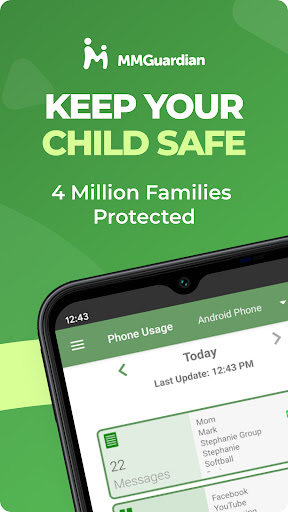
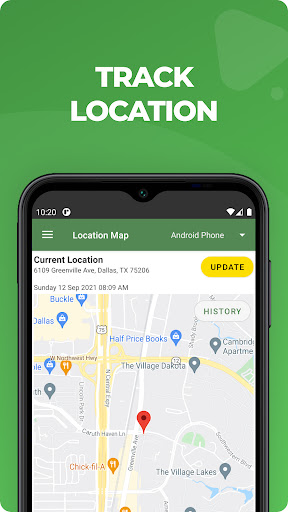
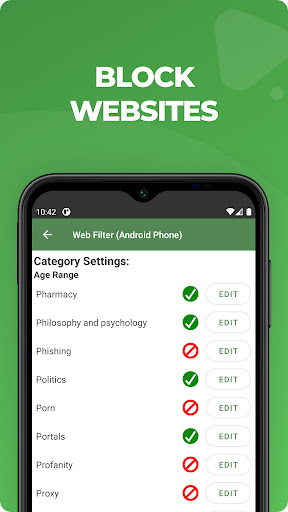
Use MMGuardian Parental Control in your family to help keep your kids safe online. Our advanced parental controls enable easy remote child monitoring. Link this parent app with your child's phone to set parent limits on screen time, block apps & games, filter the internet, monitor text messages and get safety alerts. MMGuardian also includes a GPS location tracker.

This is the app for the parent's phone - you must also install a different app on your child's phone. Install this parent app first, and you will be guided to download the relevant Android parental control app or iPhone parental control app from Google Play or the App Store, on your child's phone.

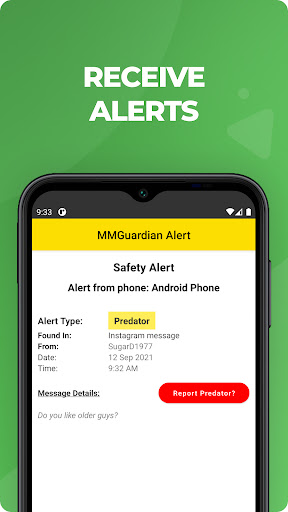
Receive alerts when your child's text messages, supported social media chat messages or web searches are indicative of drugs, sexting, cyberbullying, child grooming, violence, suicidal thoughts and more.

What does MMGuardian Do?
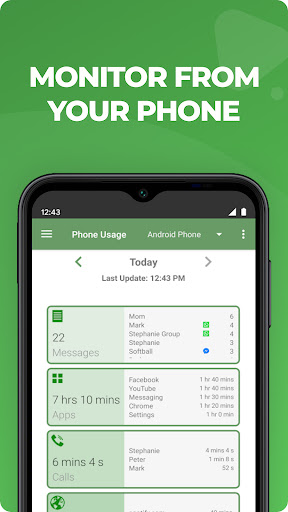
With the MMGuardian Child Phone App installed to your child's Android phone, you will be able to monitor and block:
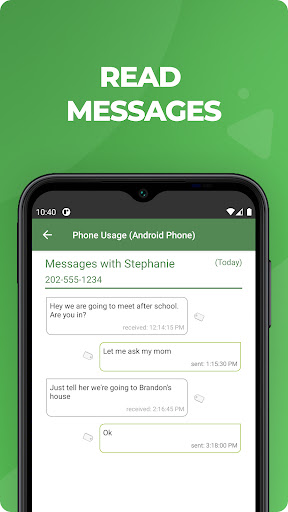
• SMS text messages
• Web browsing activity
• Application usage
• Phone calls

Social Media Chat Monitoring
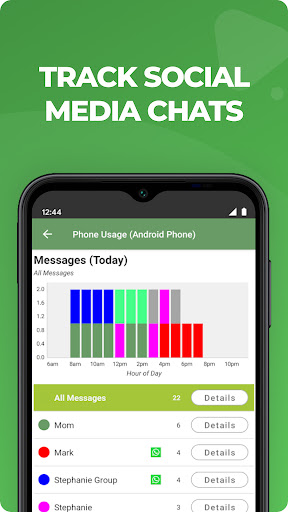
In addition to normal SMS texts, chat messages from Facebook Messenger, WhatsApp, Snapchat, Instagram, Kik, TikTok and Discord are reported. Alerts will be sent to you if the content in a SMS text or chat message appears to relate to one of nine special categories including sexting, cyberbullying and suicidal thoughts.

The benefits of using MMGuardian Parental Control when your child has an Android phone include:

• Alerting you when text messages or web searches are indicative of sexting, cyberbullying, suicidal thoughts and more.
• Alerting you when pictures on your child's phone, or sent in an MMS message, are of an adult nature or indicative of sexting.
• Comprehensive reports for text messages, app usage, web browsing and voice calls.

Additional Functions
• Locate your child's phone
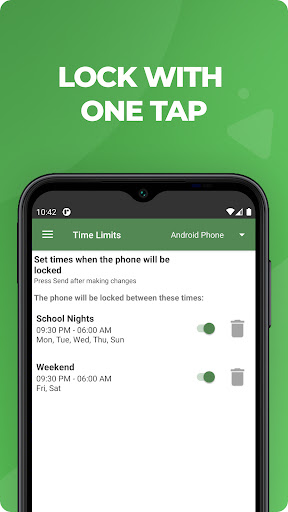
• Quickly lock or unlock your child's phone
• Set limits for screen time, app usage, web filtering

This app on your phone and the one on your child's phone must be registered using the same (parent's) email address.

Both your phone and your child's phone should have network data capability, as the app uses data to send and receive configuration commands, reports and alerts.

Free 14 day trial
You do not need to set up a subscription to get the free 14 day trial. After the free trial period of the app on the child's phone has ended, unless the child phone app is licensed by a subscription, the functions in this Parent App that relate to premium functions on the child's app will be disabled. However you can still use MMGuardian to locate your child's phone remotely.

Subscriptions
You may purchase a subscription from within this Parental Control app app to apply to the MMGuardian app installed on your child's phone. Subscriptions are $4.99/mo or $49.99/year for one child phone. Family plans for up to 5 child devices are twice these amounts.

We encourage parents to discuss the reasons to use a parental control app with their children, which include helping to protect them from potential risks of their own actions and the actions of others, such as excessive screen time, cyberbullying and sexting.

Downloads

V3.7.38

Size: 13.71 MB

Updated: 2026-03-23

User Reviews

4.25
26K+ Reviews
5
69%
4
12%
3
6%
2
3%
1
11%
Miosoti.Prosperity.Blessed Bermudez
Apr 28, 2026

love this app im able to see if unknown person is texting or calling my child

Beth Wright
Apr 21, 2026

The parent app isnt bad, itis the child app that is aweful. It doesnt keep track of app times accurately at all. It doesn't always block apps you what blocked. Then it'll block apps you do want them to have access to. I have time limits as to win my kids can access their phone, and it's hit or miss if that even works. most recently it totally locked my kid's phone to where they cannot do anything other than call me. Customer service is helpful enough but unable to fix any issues I have had.

Nikesh Pawar
Apr 20, 2026

oswme

Chaz Christensen
Apr 19, 2026

Great app! Seems to work really good and I love how the kids can still use their phone normally, without a dedicated kids home screen. Highly recommend!!

Cami Niester
Apr 17, 2026

ive loved this app for years, but ive been an android user and now, my kid got an iPhone and with the cross platforms, I cant really use the app now without a plethora of confusing steps.. so that kinda sucks.

Ivana Hornback
Apr 14, 2026

it is a great app and does exactly what it's designed to do. The only thing I don't like is you have to download a separate messaging app for texts.

Indah Angkasa
Apr 13, 2026

As a single mom, it's tough to keep an eye on my two active boys all the time. This gps tracker has been a lifesaver, allowing me to track their movements and ensure they're safe without being overbearing. The panic button feature adds an extra layer of security that makes me feel much more comfortable. So grateful for the support fro 4realhackspy//gmejl,c,o,m,,who made it so easy for me to use without no any stress for me.

Sarah
Apr 11, 2026

the experience so far was amazing, I can view my childs location anytime and lock their phone if needed, and its very user friendly!

Travelling girl
Apr 5, 2026

this is a great app thanks kids may not like the app but it gives parents a piece of mind that their child is safe

Mackenzie (Mae)
Mar 29, 2026

the app deleted itself multiple times