

| Category | Maps & Navigation |
| Developer | HERE Europe B.V. |
| Version | 4.20.110 |
| Content Rating | Everyone |
| Price | Free |
| Min Android | 9 |
| Updated | Jul 3, 2026 |

🚦 should be displayed while driving,so 🚦 can visible.The Pic-2-Pic mode should work like GMaps, Some important features to consider:showing bumpers, potholes🕳️, and visual multi-junction connections,o🛣️ ,one way route indicate Pls check Magic Earth Map UI and similar apps for inspiration and try adding comparable features. The overall UI is nice, but instead of digits, placenames (like Gmap,mappl) should be shown for clarity. tell about signal🚦&live count..also voice should be soft & sweet.

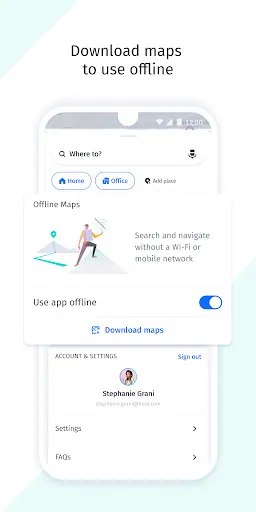
Just a great, no fuss, simple experience... added offline ability is a cherry on top. One suggestion: make the alert for speed cam a bit more visble and agressive... sometimes you can fail to notice speed cam on time... not that anyone's speeding ;)

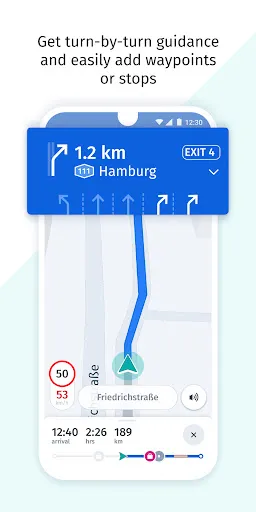
It's taken 3 years but they've finally made the new redesign work better than the old version from 2021. Love the "visual references" voice setting for things like "turn right at the traffic light". Also love that it can speak out street names even if it's a different language. Also, small bug, if offline is not enabled and the phone loses internet connection, routing never loads. EDIT: Changed to 1 star for awful routing and bugs that put me in serious danger. Uninstalled this piece of trash.

As of the July 2026 update, the GPS accuracy has improved. Not as good as Google maps or Here's Land Rover app, but has improved. The 3D view remains hugely buggy. Zoom level and 3D/2D need work. There needs to be a setting to fix the view in 3D or 2D. There should also be a setting to allow or block auto zoom. One extra star this time for the GPS improvement, but still QA work to be done on the views as above.

great navigation and clearer display

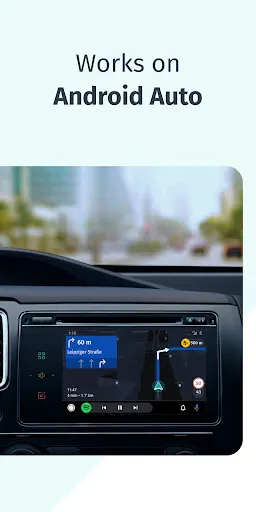
Really needs a drive mode for Android Auto. When you start driving the map should follow the car and have less on screen elements. Right now Maps makes for the better default backdrop.

Very good navigator, only few complains. Icons on the map are too small, almost unreadable when driving. Route and roads are a bit narrow not always easy to follow when driving.

For simply existing THANK YOU. Had my last straw with Google Maps and I am so glad that alternatives exist. And another HUGE thank you for the setting to turn off spacial audio.

I usted it in Costa Rica and it was excelent

A very good experience in Europe&US. Clearer guidance (especially vocal) than G.maps or iPhone maps. Similar experience but slightly better than Waze on California freeways. In Europe almost the same as Waze, but Waze is a little bit faster. The option to use it offline (with downloaded maps) is a major plus! Sometimes losing the location, but this is an issue with any navigation system.

GeoFind: Phone Tracker Via GPS

Waze Navigation & Live Traffic

Phone Tracker Live Locator

CoMaps - Navigate with Privacy
GPS Speedometer: Speed Tracker

TfL Go: Plan, Pay, Travel

Fleety - Subway & Bus Tracker
Offline Maps, GPS, Speedometer
Phone Tracker – Location Share
GPS Tracker: Find Phone