LegendPeeps
Home Apps House & Home Schlage Home
Schlage Home

Schlage Home

3.98
|
V7.1.0
|
500K+
Schlage Home screenshot Schlage Home screenshot Schlage Home screenshot Schlage Home screenshot Schlage Home screenshot Schlage Home screenshot Schlage Home screenshot Schlage Home screenshot

App Information

Category House & Home
Developer Schlage Lock Company, LLC
Version 7.1.0
Content Rating Everyone
Price Free
Min Android 11
Updated Apr 2, 2026

Description

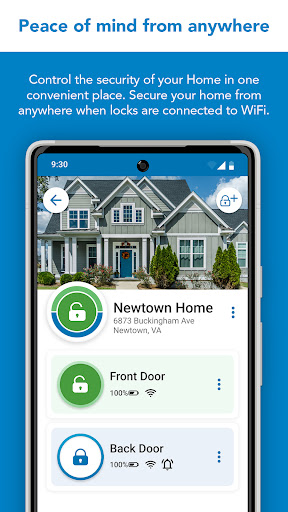
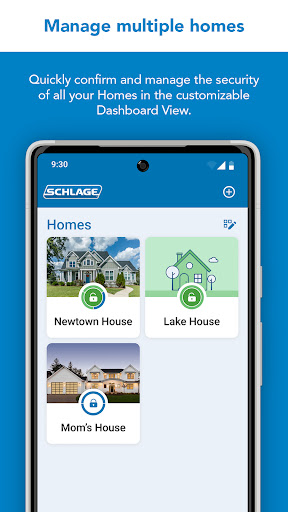
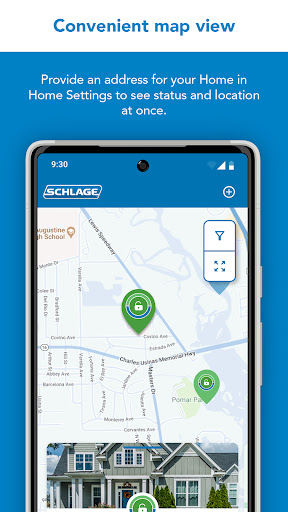
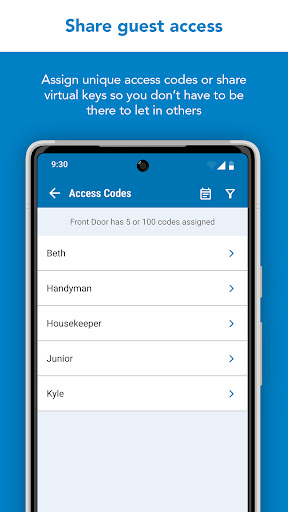
For over a century, Schlage has been trusted by millions of homes to help protect what matters most – peace of mind. The Schlage Home app lets you control and monitor your home from anywhere when your Schlage locks are paired to a home WiFi network. Through a secure, encrypted connection, easily lock and unlock your doors with the touch of a button, conveniently manage multiple homes, schedule unique access codes for trusted users, view lock history, and pair your Schlage locks with leading smart home systems. This app works with the Schlage Encode Plus™ Smart WiFi Deadbolt, Schlage Encode™ Smart WiFi Deadbolt and Lever, Schlage Arrive™ Smart WiFi Deadbolt, and Schlage Sense® Smart Deadbolt.

SCHLAGE ENCODE PLUS SMART WIFI DEADBOLT, SCHLAGE ENCODE SMART WIFI DEADBOLT AND LEVER, SCHLAGE ENCODE PLUS SMART WIFI DEADBOLT AND SCHLAGE ARRIVE SMART WIFI DEADBOLT
These locks feature built-in WiFi, so you don’t need to purchase additional hubs or accessories for remote access. When your lock is paired to your smartphone and connected to your home’s WiFi network, conveniently use the Schlage Home app to:
- Lock/unlock; Check your lock’s status from anywhere
- Manage up to 250 unique access codes per lock (up to 100 codes for Schlage Encode Plus)
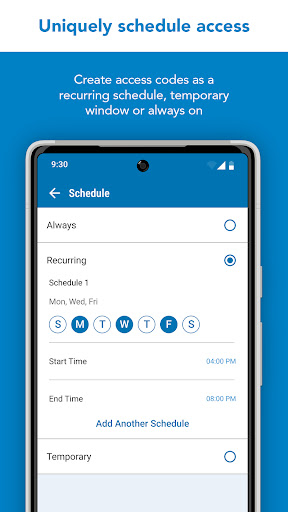
- Schedule access codes as always-on, recurring at specific times/days, or temporary with a specific start and end date/time
- Share virtual keys for full administrative access or guest lock/unlock only access
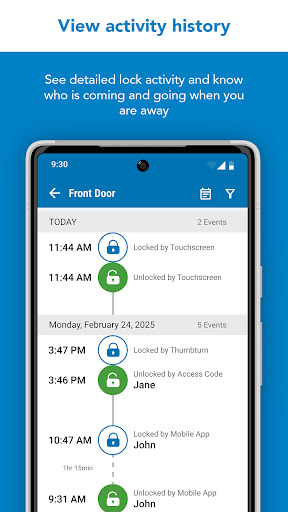
- View lock history log
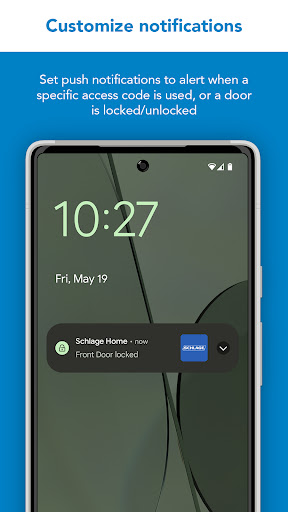
- Customize push notifications to be alerted if specific access codes are used and when your door is locked/unlocked
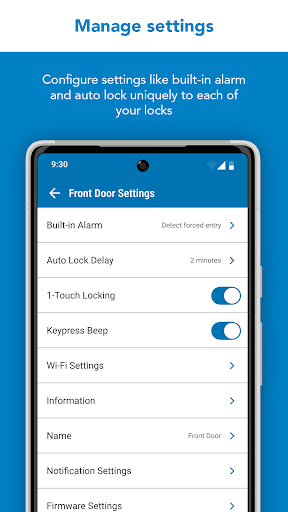
- Select time delay for auto-locking
- Receive low battery advance warnings
- Set built-in alarm warnings (excluding Schlage Arrive)
- Pair with leading smart home speakers and ecosystems

SCHLAGE SENSE SMART DEADBOLT
The Schlage Sense deadbolt features Bluetooth technology, allowing you to easily use your smartphone with the Schlage Home app to, within Bluetooth range:
- Lock/unlock and check your lock’s status
- Manage up to 30 unique access codes per lock
- Schedule access codes as always-on or recurring at specific times/days
- Share virtual keys for full administrative access or guest lock/unlock only access
- View lock history log
- Select time delay for auto-locking
- Set built-in alarm warnings based on the type of disturbance detected
You must pair with a Schlage Sense WiFi Adapter and your home WiFi network to:
- Control and monitor your lock remotely
- Pair with leading smart home speakers and ecosystems
- Receive push notifications when specific access codes are used or when your door is locked/unlocked

The Schlage Connect Smart Deadbolt is not supported by the Schlage Home app. Visit Schlage’s website for more information on compatible home hubs and apps for the Schlage Connect Smart Deadbolt.

Works best in Google and Samsung flagship phones

Downloads

V7.1.0

Size: 76.23 MB

Updated: 2026-04-02

User Reviews

3.98
12K+ Reviews
5
63%
4
10%
3
5%
2
7%
1
15%
V. Ward
Apr 27, 2026

User-friendly and efficient!

Your Least Favorite YouTube Channel
Apr 27, 2026

you're bad behavior is patchable

Ramon Buckley
Apr 26, 2026

Wow! I like the update! It's easy to manage multiple locks in multiple properties. Awesome!

Kylan Kendrick
Apr 26, 2026

This app does not work on Android phones! I'm an engineer and I can promise you on my pixel 9 Pro the initial configuration pairing process does not work on Android phones! you will have to use an iOS device with the Schlage home app installed on it. This is the only way to get your Encode Plus locks paired and configured on your network! These locks also only work on 2.4Ghz networks so you'll need to split your router signal. Hopefully someone comes across this review and it helps them.

Gordon Jenness
Apr 26, 2026

i have 3 locks. 2 loose wifi connections often. no way to remotely reconnect. wifi is strong signal.

melanie stack
Apr 25, 2026

This has been a great purchase. It has simplified my life.

Mearien Pridgen
Apr 24, 2026

So far I have not had a problem , but I will say it took a lot of trys with my android phone & never did connect until I used my husband iPhone.

Jim Antone
Apr 24, 2026

The lock works but continually searches for wifi, batteries are dead in less than two weeks.

Ameer Ali
Apr 23, 2026

Wow it is great and time saver!

Anna Bissell
Apr 22, 2026

Great app but logs me out on my all the time, several times in the same day regularly. Of it wasn't for that I would rate it 5 stars